

On this page
Contract-to-cash software connects the finance work that begins after a customer signs an agreement.
Depending on the platform, that can include contract records, billing schedules, invoice creation, payment collection, revenue recognition, journal entries, renewals, and SaaS metrics.
For B2B SaaS finance teams, the main problem is often not one individual task. It is the handoff between contracts, billing, collections, accounting, and reporting.
A signed agreement may need to be translated into an invoice schedule. Contract changes may need to update future invoices. Payments need to match the correct invoices. Revenue may need to be recognized across different service periods. Finance then has to reconcile those records with the accounting system.
The best contract-to-cash platform depends on where that process becomes difficult.
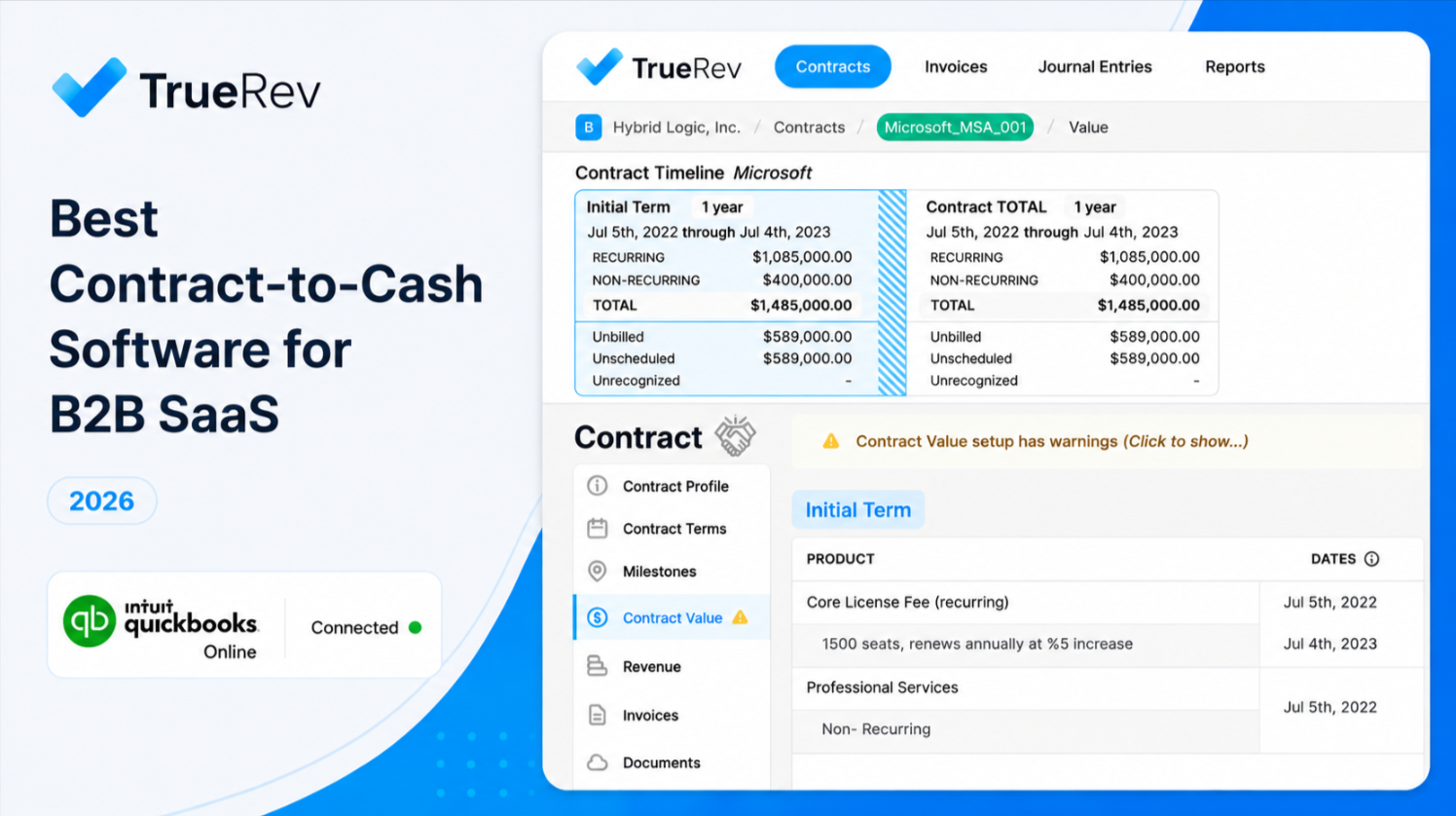
- TrueRev: Best for B2B SaaS finance teams using QuickBooks Online that need contracts, scheduled invoicing, renewals, revenue recognition, journal entries, and SaaS metrics.
- Tabs: Best for companies that want signed contracts to feed billing, collections, and revenue recognition.
- Maxio: Best for growth-stage and mid-market B2B SaaS companies with more varied billing requirements.
- Chargebee: Best for subscription, usage-based, hybrid, and increasingly complex monetization models.
- Stripe: Best for companies already using Stripe for billing and payments.
- Ordway: Best for SaaS teams connecting recurring billing, accounts receivable, collections, and revenue accounting.
- LedgerUp: Best for teams that want contract-to-cash automation across an existing finance stack.
- Zuora: Best for larger organizations with broad pricing, billing, collections, and revenue requirements.
TrueRev created this guide and is included in the comparison.
Vendor product information and pricing were rechecked against current public vendor materials in August 2026. Pricing, packaging, integrations, and implementation requirements can change, so buyers should confirm current commercial terms before purchasing.
Best Contract-to-Cash Software at a Glance
| Software | Best For | Contract-to-Invoice | Collections | Revenue Recognition | Accounting / ERP Fit | Current Public Pricing |
|---|---|---|---|---|---|---|
| TrueRev | B2B SaaS using QuickBooks | Contract schedules can feed scheduled invoicing | Not positioned as a dedicated collections platform | Yes | QuickBooks Online | From $299/month, billed annually upfront |
| Tabs | Contract-heavy B2B finance teams | Strong signed-contract ingestion and invoice generation | Yes | Yes | QuickBooks, NetSuite, Sage Intacct and others | Launch from $2,000/month |
| Maxio | Growth-stage and mid-market B2B SaaS | Subscription and contract billing | Yes | Yes | QuickBooks and other finance systems | Grow from $599/month |
| Chargebee | Varied monetization models | Subscription, usage, hybrid and contract billing | Available through billing/receivables products | Available through RevRec | Multiple CRM, ERP and accounting systems | Billing starts with usage-based pricing; enterprise custom |
| Stripe | Stripe-centered billing and payments | Structured billing rather than signed-contract ingestion | Reminders, retries and recovery tools | Separate Revenue Recognition product | Stripe-centered finance stack | Billing from 0.7% of billing volume or subscription plans |
| Ordway | Billing, AR and revenue operations | Contract and subscription billing | Yes | Yes | CRM, ERP and general-ledger integrations | Contact vendor |
| LedgerUp | Existing multi-system finance stacks | Contract and amendment ingestion to invoicing | Yes | Yes on broader plan | QuickBooks, Xero, NetSuite, Sage and others | Starter $500/month; broader package custom |
| Zuora | Enterprise monetization | Orders, subscriptions and complex billing | Yes | Yes | Enterprise finance environments | Contact vendor |
Current public pages support these broad product and pricing distinctions.
What Is Contract-to-Cash Software?
Contract-to-cash software manages the operational and financial work that follows a signed customer contract.
A typical contract-to-cash process can include:
- Recording the contract and its commercial terms
- Turning those terms into billing schedules
- Creating and sending invoices
- Tracking payments and overdue balances
- Matching payments to invoices
- Calculating recognized, deferred, and unbilled revenue
- Generating accounting entries
- Tracking renewals and amendments
- Reporting subscription and revenue metrics
Not every platform owns every stage.
Some products begin with the signed agreement. Others begin after subscription or billing records have already been created.
Some platforms place more emphasis on collections and payment recovery. Others focus on billing, revenue accounting, or financial reporting.
The right system depends on which handoffs currently require spreadsheets, duplicate entry, manual reconciliation, or repeated finance review.
For companies looking specifically at the contract layer, TrueRev's contract workflow management functionality covers customer agreements and downstream finance workflows.
Contract-to-Cash vs Quote-to-Cash vs Order-to-Cash
These terms overlap, but they do not always describe the same process.
| Process | Typical Starting Point | Typical Ending Point | Main Focus |
|---|---|---|---|
| Quote-to-cash | Product configuration, pricing or quotation | Payment and revenue reporting | Sales configuration through finance |
| Contract-to-cash | Signed customer agreement | Billing, payment and financial reporting | Post-signature finance work |
| Order-to-cash | Confirmed customer order | Collected and applied payment | Order fulfilment, invoicing and receivables |
| Order-to-revenue | Order or subscription | Revenue recognition and accounting close | Billing through revenue accounting |
The boundaries become less clear in B2B SaaS.
One agreement can contain:
- Subscription charges
- Usage fees
- Professional services
- Implementation fees
- Ramp periods
- Discounts
- Minimum commitments
- Milestone payments
- Multi-year terms
The vendor category matters less than whether the software supports the exact workflow created by your contracts.
How We Evaluated Contract-to-Cash Platforms
The products in this guide were reviewed against the finance requirements that commonly determine product fit.
Contract Management
A contract-led process may need to record:
- Customer agreements
- Start and end dates
- Products and services
- Contract value
- Billing frequencies
- Renewal terms
- Amendments
- Upgrades and downgrades
- Credits and cancellations
- Payment terms
- Custom billing schedules
A key distinction is whether software can interpret a signed agreement directly or whether finance must first enter structured contract or subscription data.
Billing-Model Support
Your billing system needs to match how your company sells.
Common B2B SaaS models include:
- Monthly subscriptions
- Annual subscriptions
- Seat-based pricing
- Usage-based billing
- Tiered pricing
- Minimum commitments
- Milestone billing
- Hybrid subscription and usage agreements
- Multi-year contracts
- Professional services attached to subscriptions
Contract-to-Invoice Automation
This is especially important for companies where finance manually reads signed agreements before creating invoices.
Review whether the platform can:
- Read or ingest signed agreements
- Interpret billing terms
- Create structured billing schedules
- Generate invoices
- Process amendments
- Recalculate future billing
- Maintain approval controls for exceptions
Collections and Cash Application
A wider contract-to-cash process can include:
- Payment reminders
- Failed-payment retries
- Dunning
- Aging reports
- Payment links
- Payment matching
- Cash application
- Dispute tracking
- Collection reporting
Not every revenue-recognition or billing platform includes these functions.
Revenue Recognition
Revenue software can support accounting work by maintaining contract data, service periods, recognition schedules, deferred revenue, journal entries, and audit history.
Software does not replace accounting judgement.
The platform still needs to reflect the company's approved revenue policies and contract treatment.
For more detail, see TrueRev's guide to revenue recognition and its revenue recognition software.
Integrations and Data Direction
Do not assess an integration only by whether two logos appear together.
Determine which information moves between systems and in which direction.
That may include:
- Customers
- Contracts
- Products
- Invoices
- Payments
- Credits
- Chart of accounts
- Journal entries
- Revenue schedules
- Usage records
- Reporting dimensions
An integration may handle invoices while leaving contracts, payments, or revenue schedules outside the connection.
Reporting
Useful reporting can include:
- ARR
- MRR
- Bookings
- Deferred revenue
- Recognized revenue
- Unbilled revenue
- Contract value
- Renewal dates
- Churn
- Expansion
- Accounts-receivable aging
- Days sales outstanding
- Cash collections
- Revenue by customer, contract, or product
QuickBooks-based SaaS teams can also review TrueRev's SaaS metrics dashboard for QuickBooks.
Implementation Fit
More functionality usually means more configuration, migration, internal ownership, and testing.
The right product should match your:
- Accounting system
- Contract volume
- Billing complexity
- Data quality
- Internal finance resources
- Implementation capacity
1. TrueRev — Best for B2B SaaS Companies Using QuickBooks
TrueRev is a financial-operations and contract-to-cash platform built around the needs of B2B SaaS companies using QuickBooks Online.
Its current public pricing and product pages list:
- Revenue recognition
- Deferred revenue
- Scheduled invoices
- Contract renewals
- SaaS metrics
- Journal entries
- Shared reports
- Document management
- Evergreen contracts
TrueRev's current public pricing page starts at $299 per month when billed annually upfront.
TrueRev Key Capabilities
- Contract management
- Contract events and amendments
- Scheduled invoicing
- Contract renewals
- Revenue recognition
- Deferred revenue
- Journal-entry workflows
- ARR and MRR reporting
- Churn and expansion reporting
- Document management
- QuickBooks Online connection
TrueRev's public QuickBooks page states that customer information, invoices, chart of accounts, journal entries, and other accounting data can be synced from QuickBooks. That same page describes the QuickBooks-to-TrueRev sync as one-way. TrueRev's current product materials also state that scheduled invoices can be sent through QuickBooks, while its journal-entry workflow can post revenue-related entries to QBO.
TrueRev Pros
- Built around B2B SaaS finance rather than general-purpose billing.
- Strong fit when QuickBooks Online remains the accounting system.
- Connects contract records with scheduled billing and revenue schedules.
- Includes revenue recognition, deferred revenue, journal entries, and SaaS metrics in the current public plan.
- Lower published starting price than several larger billing and revenue platforms.
TrueRev Cons
- It is much more QuickBooks-focused than enterprise platforms such as Zuora.
- It is not positioned as a dedicated collections and cash-application platform.
- Companies requiring a broad enterprise ERP ecosystem should compare other options.
- Integration scope should be reviewed at the individual data-object level rather than described simply as a universal one-way or two-way connection.
Where TrueRev Fits Best
Choose TrueRev if your company:
- Is a B2B SaaS business
- Uses QuickBooks Online
- Manages contracts or revenue schedules in spreadsheets
- Needs scheduled billing
- Needs contract renewals
- Tracks deferred revenue
- Needs revenue-related journal entries
- Wants ARR, MRR, churn, and expansion reporting
- Wants to keep QuickBooks as the accounting system
You can also review TrueRev's QuickBooks integration, deferred revenue software for QuickBooks, and revenue recognition software for QuickBooks.
TrueRev Pricing
TrueRev's current public pricing page lists pricing from $299 per month, billed annually upfront, with all listed core features included across tiers.
TrueRev Verdict
Choose TrueRev if: QuickBooks Online remains central to your SaaS finance stack and you need a connected layer for contracts, scheduled invoices, renewals, revenue recognition, journal entries, and SaaS metrics.
Look elsewhere if: your primary problem is automated collections, complex usage billing, or enterprise-scale multi-system monetization.
2. Tabs — Best for Contract-First Billing and Revenue Automation
Tabs starts with the signed agreement.
Its platform can process contracts, translate commercial terms into billing workflows, generate invoices, manage collections and cash application, and automate revenue recognition.
Its current pricing page lists contract processing, automated billing and invoicing, collections, cash application, ASC 606 revenue recognition, reporting, and accounting integrations across its plans.
Tabs Key Capabilities
- Contract ingestion
- Automated billing and invoicing
- Subscription and usage billing
- Contract amendments
- Collections
- Cash application
- Revenue recognition
- Revenue reporting
- QuickBooks integration
- NetSuite integration
- Sage Intacct integration
Tabs Pros
- Strong signed-contract-to-invoice workflow.
- Useful where custom agreements create substantial finance work.
- Billing, collections, and revenue recognition sit within the same product.
- Supports subscription, usage-based, and hybrid billing models.
- Collections functionality includes custom dunning and automated follow-up.
Tabs currently positions contract processing as the starting point for downstream billing and revenue work.
Tabs Cons
- Published starting pricing is significantly higher than TrueRev.
- AI-based contract interpretation still requires buyers to test edge cases and exception handling against real agreements.
- More complex usage and ERP requirements may move customers into higher custom-priced tiers.
- Small finance teams with straightforward contracts may not need the full workflow.
Tabs Pricing
Tabs currently lists:
- Launch: $2,000/month
- Growth: Custom
- Scale: Custom
- Enterprise: Custom
The Launch tier is listed for companies with up to $5 million in annual revenue and up to 100 active contracts.
For a direct comparison, see TrueRev vs Tabs.
Tabs Verdict
Choose Tabs if: your main problem is manually translating negotiated contracts into invoices, collections workflows, and revenue schedules.
Look elsewhere if: you have simpler contract structures and want a lower-cost QuickBooks-focused finance layer.
3. Maxio — Best for B2B SaaS Billing and Financial Operations
Maxio combines subscription management, billing, collections, payments, revenue recognition, and SaaS reporting.
Its current pricing page lists usage-based billing, subscription management, recurring billing, collections, dunning, payment gateways, revenue recognition, and multiple optional finance modules.
Maxio Key Capabilities
- Subscription billing
- Contract billing
- Usage-based billing
- Milestone billing
- Automated invoicing
- Collections and dunning
- Payment processing
- Revenue recognition
- Expense amortization
- SaaS metrics
- Multi-entity options
- Financial reporting
Maxio Pros
- Built specifically around B2B SaaS billing and finance.
- Supports a wide range of pricing models.
- Includes collections and dunning.
- Strong subscription-management capabilities.
- Covers ARR, MRR, churn, and other SaaS reporting.
- Can support companies as billing complexity grows.
Maxio Cons
- Some higher-level finance functions are optional modules.
- Multi-entity and advanced revenue requirements may require the Scale plan or add-ons.
- The product has broader billing scope than companies needing only revenue recognition.
- Finance teams should review which capabilities are included in their specific quote.
Maxio Pricing
Maxio currently lists:
- Grow: $599/month for up to $100,000 in monthly billings
- Scale: Custom quote for higher billing volume
Optional modules can add to the final commercial package.
For a more direct comparison, see TrueRev vs Maxio.
Maxio Verdict
Choose Maxio if: you need billing, subscription management, collections, revenue accounting, and SaaS reporting in one B2B SaaS finance platform.
Look elsewhere if: your needs are mostly QuickBooks-based contract and revenue workflows and you do not require Maxio's broader billing infrastructure.
4. Chargebee — Best for Varied Monetization Models
Chargebee supports subscription, usage-based, hybrid, seat-based, tiered, volume, and other billing models.
Its current product range also includes CPQ, receivables, payment recovery, and separate revenue-recognition functionality.
Chargebee Key Capabilities
- Subscription billing
- Usage-based billing
- Hybrid billing
- Metering
- Invoicing
- Payment gateways
- Dunning
- Receivables
- CPQ
- Revenue recognition
- CRM and ERP connections
- Enterprise multi-entity options
Chargebee Pros
- Broad billing-model support.
- Strong fit for companies changing or experimenting with monetization.
- Usage metering is built into current billing plans.
- Large payment-gateway ecosystem.
- Separate revenue-recognition and receivables products can extend the finance workflow.
- Enterprise plans support more complex global billing requirements.
Chargebee Cons
- Full contract-to-cash coverage can require several Chargebee products.
- Revenue recognition has separate pricing from core Billing.
- The product can become more complex as additional modules are added.
- Buyers should compare the complete commercial package rather than only the entry billing price.
Chargebee Pricing
Chargebee's current public pricing has changed from the older $599/month model used in the original draft.
Its current Billing pricing includes a 0.80% pay-as-you-go option with no platform fee, while committed and enterprise options use different pricing structures. Revenue Recognition is priced separately.
For a direct comparison, review TrueRev vs Chargebee.
Chargebee Verdict
Choose Chargebee if: your company needs flexible subscription, usage, hybrid, or enterprise billing and expects monetization requirements to change over time.
Look elsewhere if: your primary requirement is a simpler QuickBooks-centered contract and revenue workflow.
5. Stripe — Best for Stripe-Centered Billing and Payments
Stripe Billing is a logical option when Stripe is already the center of subscription billing and payment processing.
Stripe Billing supports subscriptions, invoices, usage-based pricing, customer portals, reminders, retries, quotes, and payment recovery.
Stripe Revenue Recognition is a separate product that automates accrual accounting from Stripe transaction and billing data.
Stripe Key Capabilities
- Subscription billing
- Usage-based billing
- Invoicing
- Payments
- Quotes
- Payment reminders
- Smart retries
- Payment recovery
- Revenue recognition
- Customer portal
- Data and reporting tools
Stripe Pros
- Strong choice when payments and billing already live in Stripe.
- Billing and payment data naturally sit together.
- Supports subscription and usage-based models.
- Includes automated reminders and retry functionality.
- Revenue Recognition uses Stripe billing and transaction data directly.
- Developer teams have extensive APIs and configuration options.
Stripe Cons
- It does not primarily start with signed B2B contracts.
- Negotiated contracts and amendments may still live in a CRM or contract system.
- Revenue Recognition is a separate product.
- Companies with extensive non-Stripe transactions need to review how external data enters the process.
- Complex contract-led finance workflows may require additional systems.
Stripe Pricing
Stripe Billing currently offers:
- Pay as you go: 0.7% of Billing volume
- Subscription plans: Annual contracts paid monthly, available in supported markets
- Custom pricing: Available for larger volumes or specific business models
Stripe Revenue Recognition is also moving to subscription-based pricing, with plan details available through the Stripe Dashboard.
Stripe Verdict
Choose Stripe if: Stripe already runs your payments and billing and your contract structures fit comfortably into structured subscription or usage workflows.
Look elsewhere if: finance needs signed agreements themselves to control billing schedules, amendments, and downstream revenue processes.
6. Ordway — Best for Billing, Receivables, and Revenue Accounting
Ordway supports recurring billing operations for SaaS, cloud, and subscription businesses.
Its platform supports recurring, one-time, and usage-based charges along with subscription billing and connections to CRM, payment, general-ledger, and ERP systems.
Ordway Key Capabilities
- Subscription billing
- Usage-based billing
- Contract billing
- Accounts receivable
- Collections
- Dunning
- Payments
- Revenue recognition
- Accounting connections
- CRM connections
Ordway Pros
- Connects billing and accounts receivable.
- Supports several recurring-revenue billing structures.
- Useful for companies that want billing and collections closely connected.
- Revenue accounting can sit alongside AR workflows.
- Works across CRM and accounting environments.
Ordway Cons
- No standard public starting price.
- Product fit and commercial scope require direct vendor discussion.
- Buyers should review exact contract-ingestion functionality if signed agreements are the starting point.
- Integration depth should be tested against the buyer's finance stack.
Ordway Pricing
Ordway does not currently publish a standard monthly starting price on the public product materials reviewed for this guide.
Ordway Verdict
Choose Ordway if: your problem centers on recurring billing, accounts receivable, collections, and revenue accounting.
Look elsewhere if: signed-contract interpretation is the main source of manual work.
7. LedgerUp — Best for Connecting an Existing Finance Stack
LedgerUp is designed to work across systems that finance and sales teams already use.
Its current product and pricing materials cover contract and amendment ingestion, invoice generation, subscription and usage billing, collections, cash application, transaction reconciliation, revenue recognition, and integrations across billing, accounting, CRM, contract, and data systems.
LedgerUp Key Capabilities
- Contract and amendment ingestion
- Invoice generation and sending
- Subscription billing
- Usage and hybrid billing
- Collections
- Automated dunning
- Cash application
- Transaction reconciliation
- Revenue recognition
- QuickBooks and Xero connections
- NetSuite and Sage connections
- Salesforce and HubSpot connections
- Contract-platform integrations
LedgerUp Pros
- Designed to work across an existing finance stack.
- Supports contract-led billing automation.
- Includes collections and reconciliation.
- Strong integration coverage across finance and sales systems.
- Useful for companies that do not want to replace every existing system.
LedgerUp Cons
- The $500 Starter tier does not include the full contract-to-cash workflow.
- Broader billing and revenue functionality uses custom pricing.
- AI-led automation should be tested with real contract and billing exceptions.
- Integration and implementation requirements can vary substantially by stack.
LedgerUp Pricing
LedgerUp currently lists:
- Starter: $500/month for lighter billing, AR and reporting work
- Growth: Custom pricing for the wider quote-to-cash workflow
- Enterprise: Custom
Its current pricing page states that most teams are live within about a week, depending on billing-stack complexity.
LedgerUp Verdict
Choose LedgerUp if: you want an automation layer across several finance, billing, CRM, and accounting systems.
Look elsewhere if: you want one simpler platform centered primarily around QuickBooks and SaaS revenue management.
8. Zuora — Best for Enterprise Monetization Requirements
Zuora supports a broad recurring-revenue and monetization workflow.
Its current product materials cover pricing, subscription and usage billing, payments, collections, cash application, and revenue recognition. Zuora also supports enterprise order-to-revenue workflows that connect orders, billing, payments, collections, and revenue.
Zuora Key Capabilities
- Product and pricing management
- Subscription billing
- Usage billing
- Hybrid pricing
- Invoicing
- Payments
- Collections
- Cash application
- Revenue recognition
- Multi-year agreements
- Enterprise accounting controls
- Complex revenue rules
Zuora Pros
- Broad monetization coverage.
- Strong choice for larger and more complex recurring-revenue businesses.
- Supports subscription, usage, and hybrid models.
- Combines billing, collections, and revenue processes.
- Extensive enterprise configuration options.
- Dedicated revenue-recognition product supports complex accounting requirements.
Zuora Cons
- Wider scope comes with more implementation and administration requirements.
- Smaller QuickBooks-based SaaS teams may not need its breadth.
- Pricing is not presented as a simple public monthly starting price.
- Companies need enough internal resources to own configuration and ongoing administration.
Zuora Pricing
Zuora publishes product editions and packaging information, but standard dollar pricing is not publicly listed for a simple contract-to-cash package. Buyers should request a commercial proposal based on the required products and scale.
For a more focused comparison, review TrueRev vs Zuora.
Zuora Verdict
Choose Zuora if: your organization has complex enterprise billing, usage, collections, and revenue requirements across several products, entities, or business models.
Look elsewhere if: you have a smaller B2B SaaS finance team that wants a more focused QuickBooks-based setup.
Best Contract-to-Cash Software by Company Stage
Company stage provides useful context, but contract complexity and finance-system fit usually matter more.
TrueRev is built for B2B SaaS companies with $1M to $15M in ARR, so it is most relevant to the early-stage and growth-stage groups below.
Early-Stage B2B SaaS
Start with:
- TrueRev when QuickBooks is the accounting system and the main needs are contracts, scheduled billing, renewals, revenue recognition, journal entries, and SaaS metrics.
- Stripe when subscription billing and payments already run through Stripe.
- LedgerUp when the main problem is moving contract and billing information across existing systems.
Growth-Stage B2B SaaS
Start with:
- TrueRev for QuickBooks-based contract and revenue operations.
- Tabs when signed agreements need to feed billing, collections, and revenue recognition.
- Maxio for broader B2B SaaS billing, revenue accounting, collections, and metrics.
- Chargebee for changing subscription, usage, and hybrid monetization models.
- Ordway for billing, AR, collections, and revenue workflows.
Mid-Market SaaS
Consider:
- Maxio for B2B SaaS billing and finance operations.
- Chargebee for more varied billing and monetization requirements.
- Tabs where complex customer contracts generate substantial manual billing work.
- Ordway where billing, receivables, and revenue accounting need to sit together.
- LedgerUp where several existing systems need to remain in place.
- TrueRev where QuickBooks remains the core accounting system and ARR is within TrueRev's $1M to $15M range.
Enterprise or Highly Complex Recurring Revenue
Consider:
- Zuora for wide-ranging pricing, billing, collections, and revenue requirements.
- Chargebee for global and complex monetization models.
- Maxio where B2B SaaS billing remains the primary requirement.
Best Contract-to-Cash Platform by Workflow
| Requirement | Platforms Worth Reviewing |
|---|---|
| QuickBooks-based SaaS finance | TrueRev, Maxio, LedgerUp |
| Signed contract to invoice | Tabs, LedgerUp |
| Subscription billing | TrueRev, Stripe, Maxio, Chargebee, Ordway, Zuora |
| Usage-based billing | Tabs, Stripe, Maxio, Chargebee, LedgerUp, Zuora |
| Hybrid subscription + usage | Tabs, Stripe, Maxio, Chargebee, LedgerUp, Zuora |
| Milestone billing | Maxio, Ordway, Tabs, Zuora |
| Built-in collections | Tabs, Maxio, Chargebee, Ordway, LedgerUp, Zuora |
| Revenue recognition | TrueRev, Tabs, Maxio, Chargebee, Stripe, Ordway, LedgerUp, Zuora |
| Existing multi-system finance stack | LedgerUp |
| Enterprise order-to-revenue | Zuora |
The right shortlist should be based on the workflows you actually need rather than the number of features a vendor can list.
When Do You Need Contract-to-Cash Software?
A dedicated platform becomes more relevant when:
- Finance manually reads contracts to create invoices.
- Billing schedules live in spreadsheets.
- Contract amendments require updates in several tools.
- Deferred revenue is difficult to reconcile.
- Journal entries are created manually each month.
- ARR and MRR reports disagree with accounting records.
- Renewals are tracked through spreadsheets or reminders.
- Sales, billing, and accounting use different customer data.
- Payment status is difficult to match against invoices.
- Month-end depends on repeated exports.
- The process relies heavily on one person's spreadsheet knowledge.
A company with straightforward contracts and simple billing schedules may not need a separate contract-to-cash platform.
The requirement becomes stronger as finance needs to coordinate contracts, scheduled billing, revenue schedules, journal entries, renewals, collections, reporting, and accounting data.
For QuickBooks-based finance teams focused specifically on revenue schedules, review the best revenue recognition software for QuickBooks.
How to Implement Contract-to-Cash Software
1. Map the Current Process
Document:
- Where contracts are stored
- Who records billing terms
- Where invoices are created
- How payments are collected
- How overdue balances are managed
- How payments are matched
- How revenue schedules are calculated
- How journal entries are posted
- Which reports finance produces
- Where corrections occur
2. Define the System of Record
Decide which system owns each object:
- Customer
- Contract
- Product
- Price
- Invoice
- Payment
- Revenue schedule
- Journal entry
- Renewal
- Usage record
Do not assume the contract-to-cash platform should own everything.
3. Prepare the Data
Review:
- Active customers
- Contract dates
- Billing schedules
- Service periods
- Renewal terms
- Open invoices
- Deferred-revenue balances
- Unbilled-revenue balances
- Existing revenue schedules
- Credits
- Contract amendments
- Account mappings
4. Configure Finance Policies
The platform should reflect approved policies for:
- Billing dates
- Invoice schedules
- Revenue-recognition methods
- Performance obligations
- Contract changes
- Credits
- Renewals
- Write-offs
- Period close
- Journal posting
5. Test Real Contract Scenarios
Do not test only the easiest contracts.
Test:
- Mid-term upgrades
- Downgrades
- Early renewals
- Automatic renewals
- Cancellations
- Credits
- Usage overages
- Professional services
- Ramp agreements
- Milestone invoices
- Delayed service starts
- Contract amendments
6. Reconcile Before Going Live
Compare the new system with:
- Existing invoices
- Payment records
- Deferred-revenue balances
- Unbilled-revenue balances
- Revenue schedules
- Journal entries
- ARR and MRR reports
7. Assign Ownership
Define who owns:
- Contract setup
- Billing review
- Revenue policies
- Integration monitoring
- Exceptions
- Month-end close
- Approval controls
- Vendor support
Frequently Asked Questions
What is the best contract-to-cash software for B2B SaaS?
It depends on the company's accounting system, contract structure, billing model, and finance requirements.
TrueRev is a strong candidate for B2B SaaS teams using QuickBooks. Tabs focuses heavily on signed-contract automation. Maxio covers B2B SaaS billing and finance operations. Chargebee supports varied monetization models. Stripe fits Stripe-centered billing. Ordway connects billing, AR, and revenue. LedgerUp works across existing systems. Zuora is suited to larger enterprise requirements.
What is the best contract-to-cash software for a SaaS company using QuickBooks?
TrueRev is specifically positioned around B2B SaaS companies using QuickBooks Online.
Its current public product set includes contracts, scheduled invoices, renewals, revenue recognition, deferred revenue, journal entries, and SaaS metrics. Maxio and LedgerUp also support QuickBooks-oriented finance workflows but cover different requirements.
Does TrueRev integrate with HubSpot?
TrueRev's current public homepage lists HubSpot as coming soon, rather than describing it as a currently available live integration. Companies requiring HubSpot connectivity should confirm current availability directly with TrueRev before treating it as part of the implementation scope.
Does TrueRev support multi-currency?
The current TrueRev public product and pricing pages reviewed for this update do not provide enough detail to make a firm multi-currency claim.
Companies with multi-currency requirements should confirm supported currency workflows and accounting treatment directly with TrueRev before purchase.
Does contract-to-cash software replace accounting software?
Usually not.
Contract-to-cash software can manage specialized contract, billing, collection, and revenue workflows while the accounting system continues to own the general ledger, expenses, bank reconciliation, payroll, and financial statements.
Can QuickBooks handle revenue recognition without another product?
QuickBooks functionality depends on the edition and use case.
For SaaS companies with more involved contract-level requirements, separate software may still be useful for contracts, scheduled invoices, revenue schedules, deferred revenue, renewals, journal entries, or SaaS reporting.
Companies evaluating that question can review TrueRev's QuickBooks revenue recognition guide.
Can contract-to-cash software support usage-based billing?
Yes, several platforms in this comparison support usage or hybrid billing.
Tabs, Stripe, Maxio, Chargebee, LedgerUp, and Zuora currently document usage-based billing functionality.
Check:
- Usage ingestion
- Metering
- Rating rules
- Minimum commitments
- Late-arriving usage
- Corrections
- Invoice presentation
- Revenue treatment
Which contract-to-cash tools can turn signed contracts into invoices?
Tabs and LedgerUp place strong emphasis on this workflow.
Tabs states that its contract agent ingests agreements and its billing agent generates invoices from processed contracts. LedgerUp supports contract and amendment ingestion alongside invoice generation in its wider package.
Other platforms may require structured subscription, order, or billing data before invoices are created.
Which contract-to-cash platforms include collections?
Tabs, Maxio, Chargebee, Ordway, LedgerUp, and Zuora all offer collections, dunning, receivables, cash-application, or related payment-recovery functionality in some form.
Check whether collections is:
- Included in the core plan
- A separate module
- Limited to failed-payment retries
- Full AR collections
- Connected with cash application and reconciliation
How should a company assess accounting integrations?
Ask which data objects move and in which direction.
Review separately:
- Customers
- Contracts
- Products
- Invoices
- Payments
- Credits
- Revenue schedules
- Journal entries
- Reporting dimensions
A vendor saying that it "integrates with QuickBooks" or "integrates with NetSuite" does not tell you which parts of the finance workflow are actually connected.
Does contract-to-cash software guarantee ASC 606 compliance?
No software replaces accounting judgement or approved revenue policies.
Software can support ASC 606 work by maintaining contract records, calculating schedules, retaining audit history, and producing revenue reports or accounting entries.
Finance teams remain responsible for configuring the platform according to their accounting policies.
How long does contract-to-cash implementation take?
There is no single timeline.
Implementation depends on:
- Contract volume
- Data quality
- Billing complexity
- Integrations
- Revenue policies
- Historical migration
- Testing
- Internal availability
Vendor claims about implementation time should be tested against the buyer's actual contract and finance environment.
Choose the Right Contract-to-Cash Platform
Start with the handoff creating the most finance work.
That may be:
- Reading signed contracts
- Creating billing schedules
- Generating invoices
- Collecting payments
- Matching cash
- Calculating deferred revenue
- Tracking unbilled revenue
- Posting journal entries
- Reporting ARR and MRR
- Managing renewals and amendments
- Reconciling several systems
Then compare platforms based on that process, your accounting system, contract complexity, billing model, and internal implementation capacity.
A company with a contract-to-invoice problem needs a different product from a company with a collections problem.
A QuickBooks-based SaaS finance team also has different requirements from an enterprise organization running several billing, ERP, and revenue systems.
The right contract-to-cash platform should reduce manual handoffs while keeping finance data easy to review, explain, and reconcile.
Using QuickBooks for B2B SaaS finance? Schedule a TrueRev demo to review your contract, billing, revenue, renewal, and SaaS-reporting workflow.
Want to see a demo?
we offer a 14-day free trial.