

On this page
Deferred revenue software for QuickBooks can help SaaS finance teams manage revenue schedules, contract changes, journal workflows, and reporting when native QuickBooks functionality is no longer enough.
Deferred revenue becomes harder to manage as a SaaS company adds annual prepayments, multi-year agreements, contract amendments, mixed revenue streams, and more demanding month-end reporting. For Controllers and Accounting Managers at growing B2B SaaS companies, the main decision is whether native QuickBooks schedules are sufficient or whether contract and reporting complexity now calls for a separate revenue layer.
QuickBooks Online Advanced now includes native revenue recognition. It can create automatic schedules, record deferred revenue, apply recognition templates, and adjust schedules when transaction details change. The question is no longer whether QuickBooks can support deferred revenue at all. The better question is whether its native functionality is enough for your contracts, reporting requirements, and finance process.
A dedicated deferred revenue accounting software platform may become useful when your finance team also needs:
- Contract-level revenue schedules
- Deferred, recognized, and unbilled revenue reporting
- Contract changes and renewals
- Revenue waterfall reports
- Journal-entry controls
- A SaaS metrics dashboard for QuickBooks
- Connections between contracts, billing, and accounting data
- Support for more complex entity, currency, or revenue-model requirements
This guide compares five options for SaaS companies using QuickBooks:
- TrueRev - Best overall for B2B SaaS finance teams using QuickBooks
- QuickBooks Online Advanced - Best for simpler native revenue recognition
- Flowrev - Best for focused revenue and expense recognition
- ScaleXP - Best for wider finance automation and multi-entity reporting
- Chargebee RevRec - Best for complex billing and monetization environments
What Is the Best Deferred Revenue Software for QuickBooks?
For B2B SaaS companies that plan to keep QuickBooks Online but need contract-level deferred revenue, revenue schedules, billing workflows, journal entries, and SaaS metrics.
QuickBooks Online Advanced may be enough when schedules are primarily invoice-based and contract terms are relatively consistent. Flowrev is a strong option when the main requirement is focused revenue and expense recognition. ScaleXP may fit finance teams that also need month-end automation, consolidation, and management reporting. Chargebee RevRec is better suited to companies with complex billing models, multiple data sources, or advanced revenue-allocation requirements.
The right choice depends on what sits around the deferred revenue process, not only the schedule calculation.
How We Evaluated These Tools
We compared each option based on its QuickBooks fit, deferred revenue scheduling, contract-change handling, journal workflow, reporting, SaaS metrics, implementation scope, pricing transparency, and best-fit company profile. The goal is to show where each product fits and where a buyer should ask more questions, rather than rank every company on one generic feature list.
Deferred Revenue Software at a Glance
| Software | Best For | QuickBooks Fit | Starting Price | Main Strength | Main Consideration |
|---|---|---|---|---|---|
| TrueRev | B2B SaaS teams using QuickBooks | Direct QuickBooks Online connection | $299/month | Deferred revenue, contracts, billing schedules, SaaS metrics, and related finance work | Confirm advanced requirements such as multi-currency, multiple entities, or non-QBO systems |
| QuickBooks Online Advanced | Companies with straightforward native schedules | Native | $275/month standard listed price | Recognition remains inside QuickBooks | Less suited to wider SaaS contract and metrics workflows |
| Flowrev | Teams needing focused revenue and expense recognition | Certified QuickBooks integration | From $50/month | Flexible recognition schedules, cost recognition, waterfalls, and reporting | More focused on recognition than full contract-to-cash management |
| ScaleXP | Multi-entity and finance-automation teams | QuickBooks, Xero, and Zoho Books | £250/month for the Growth plan | Deferred revenue, month-end journals, SaaS metrics, consolidation, and reporting | Pricing increases by plan and subsidiary |
| Chargebee RevRec | Complex billing, pricing, and revenue environments | QBO invoice import and journal posting | Request pricing | Multi-source revenue rules, SSP allocation, and complex monetization support | May be more than a smaller QBO-focused SaaS company needs |
Pricing checked: July 2026. Vendor pricing and packaging may change.
What Is Deferred Revenue?
Deferred revenue is an amount that has been billed or collected before the related product or service has been delivered.
Because the company still owes the customer goods or services, the unearned amount is recorded as a liability rather than revenue.
Deferred Revenue Example for a SaaS Contract
Suppose a customer pays $12,000 upfront for a subscription covering January through December.
If the service is delivered evenly over the year:
- Cash received: $12,000
- Monthly revenue recognized: $1,000
- Deferred revenue after January: $11,000
- Deferred revenue after June: $6,000
- Deferred revenue after December: $0
The simplified entries would be:
When the customer is billed or pays upfront
- Debit cash or accounts receivable: $12,000
- Credit deferred revenue: $12,000
At the end of each month
- Debit deferred revenue: $1,000
- Credit revenue: $1,000
The exact accounting treatment depends on the contract, performance obligations, revenue policy, and applicable guidance. FASB Topic 606 establishes principles for reporting the nature, amount, timing, and uncertainty of revenue arising from customer contracts. Software can maintain schedules and records, but the company and its accounting advisers remain responsible for the accounting policy applied. For a deeper standards-focused explanation, see TrueRev's guide to ASC 606 automation for QuickBooks.
Does QuickBooks Online Support Deferred Revenue Automation?
Yes. QuickBooks Online Advanced now supports automated revenue recognition.
Intuit currently allows Advanced users to:
- Turn on revenue recognition
- Create or use recognition templates
- Assign templates to products and services
- Create automatic schedules from invoices
- Record deferred revenue over time
- Edit service durations
- Change transaction prices
- Adjust existing schedules
- Produce revenue recognition reports
When a transaction price, duration, or schedule changes, QuickBooks can adjust the related schedule to reflect the update. QuickBooks Online Advanced currently supports straight-line recognition by period and straight-line recognition prorated by days. One-time future-event, percentage, and milestone methods are documented for Intuit Enterprise Suite rather than QuickBooks Online Advanced.
Review Intuit's current documentation for setting up revenue recognition schedules and changing existing schedules.
This is a material change from the older position that QuickBooks users always had to manage deferred revenue in spreadsheets or third-party software.
When QuickBooks Online Advanced May Be Enough
Native QuickBooks functionality may be sufficient when:
- Your recognition is mainly linked to invoices.
- Most products use consistent straight-line schedules.
- Service periods are easy to define.
- Contract amendments are limited.
- You want accounting and recognition inside one system.
- You do not require a separate contract-management layer.
- You do not need extensive SaaS metrics or customer-level contract reporting.
- Your finance team is comfortable configuring and reviewing schedules in QuickBooks.
Its main advantage is simplicity: the recognition workflow stays inside the accounting system already used by the team.
When Dedicated Software May Be More Suitable
A separate deferred revenue platform becomes more relevant when:
- Contract terms are stored outside QuickBooks.
- Billing dates and service periods frequently differ.
- You have annual, quarterly, usage-based, milestone, or mixed billing.
- Customers upgrade, downgrade, renew, or cancel mid-term.
- You must report deferred and unbilled revenue by customer, product, or contract.
- Finance needs revenue waterfall reports.
- ARR, MRR, churn, retention, and bookings are also required.
- Journal entries need a defined preparation, review, and posting process.
- Multiple entities or currencies are involved.
- Revenue policies require rules beyond standard invoice templates.
The decision should be based on contract and reporting complexity, not an assumption that QuickBooks has no native revenue recognition.
Need more than invoice-based schedules? See how TrueRev works alongside QuickBooks for contracts, deferred revenue, and SaaS reporting. Schedule a TrueRev demo.
Can Revenue Schedules Be Automated From Invoice Dates?
Yes, but an invoice date is usually only one part of the schedule.
A reliable revenue schedule may need to consider:
- Invoice date
- Invoice status
- Service start date
- Service end date
- Contract term
- Product or service
- Recognition method
- Billing frequency
- Amendment date
- Performance obligations
QuickBooks Online Advanced applies recognition templates to products or services included on invoices. Users can then set or adjust service durations and schedule details.
TrueRev's product documentation describes a related distinction:
- The invoice date and sent status affect when an amount enters the deferred revenue balance.
- Revenue start and end dates determine how the revenue schedule is distributed.
- The revenue schedule report shows recognized, deferred, and unbilled totals by contract.
For finance teams, this distinction matters. Billing answers when the customer is invoiced. Revenue recognition answers when the company earns the revenue. Those dates may be the same, but they often are not.
The 5 Best Deferred Revenue Software Options
1. TrueRev
Best for: B2B SaaS companies using QuickBooks that need deferred revenue alongside contracts, billing schedules, journal entries, and SaaS metrics
TrueRev is a financial-operations and revenue-management platform focused on B2B SaaS companies.
Its current product scope includes:
- Revenue recognition software
- Deferred revenue
- Revenue schedules
- Scheduled invoices
- Contract renewals and events
- Journal entries
- Shared reports
- ARR and MRR
- Retention and churn metrics
- Document management
- Evergreen contracts
- QuickBooks Online integration
TrueRev connects with QuickBooks Online and references the synchronization of customer information, invoices, chart of accounts, journal entries, and related accounting data. The exact direction and control of each data flow should be confirmed during the product evaluation rather than described as universally two-way.
How TrueRev Handles Deferred Revenue
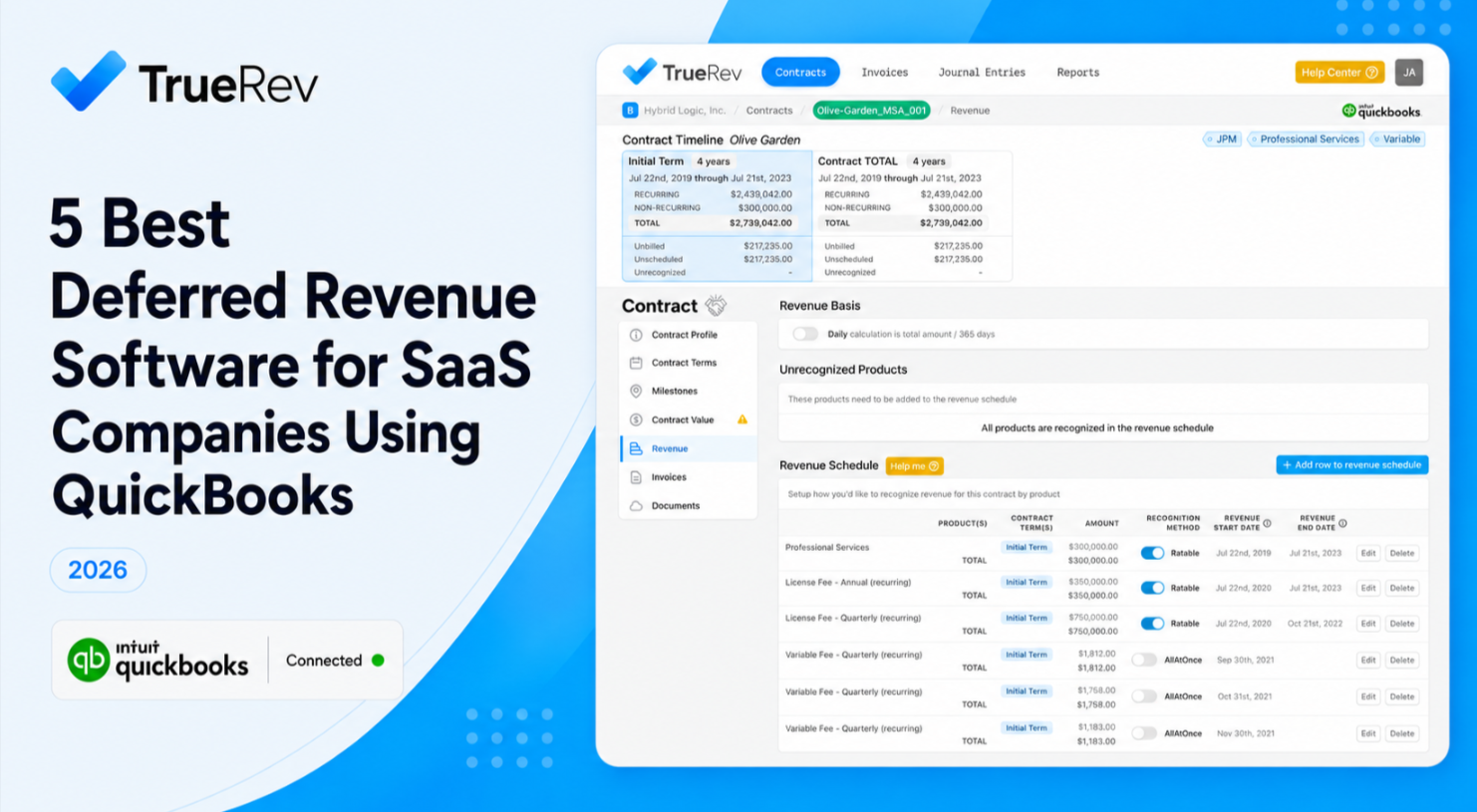
TrueRev's revenue schedule report presents three related figures:
- Recognized revenue: Revenue earned during the period
- Deferred revenue: Billed revenue that has not yet been earned
- Unbilled revenue: Revenue earned before the related invoice has been issued
This gives finance teams a contract-level view of the relationship between billing and revenue timing. TrueRev's help center explains how the Revenue Recognition Schedule reports these balances.
Where TrueRev Fits Best
TrueRev is worth considering when:
- QuickBooks Online remains your general ledger.
- Your revenue schedules are partly maintained in spreadsheets.
- You manage annual or multi-year SaaS agreements.
- Contract changes affect future schedules.
- Billing and revenue timing frequently differ.
- You need deferred and unbilled revenue in the same reporting process.
- Finance also needs ARR, MRR, churn, retention, or bookings.
- You want one system for contracts, revenue, billing schedules, and SaaS reporting.
Pricing
TrueRev pricing starts at $299/month. A 14-day trial is available.
Customer Evidence
TrueRev's customer stories include:
- Catapult K12 moving reporting from days to minutes after connecting TrueRev with QuickBooks
- Inten.to closing its books in two days rather than ten
- Glean.ai using TrueRev for revenue recognition, deferred revenue journal entries, and SaaS metrics
- LineVision selecting TrueRev after evaluating other revenue-recognition products
- Perch managing subscription, hardware, and services revenue on different schedules
Main Consideration
TrueRev has a defined B2B SaaS and QuickBooks focus. Companies requiring multi-currency accounting, many legal entities, or a non-QuickBooks general ledger should confirm those requirements directly before selecting the platform.
Already using QuickBooks but managing revenue schedules elsewhere? Schedule a TrueRev demo to review your current process.
2. QuickBooks Online Advanced
Best for: Businesses with relatively consistent invoice-based recognition schedules that prefer to keep the workflow inside QuickBooks
QuickBooks Online Advanced now provides native revenue recognition functionality.
Its documented capabilities include:
- Automatic recognition schedules
- Deferred revenue entries
- Custom and preset templates
- Product and service template assignment
- Transaction-level service periods
- Schedule edits
- Price adjustments
- Revenue recognition reports
When an invoice contains a product or service with an assigned recognition template, QuickBooks can divide the transaction amount across the configured schedule.
Where QuickBooks Online Advanced Fits Best
It may be enough when:
- Contracts follow relatively standard recognition patterns.
- Recognition is closely tied to invoice line items.
- Straight-line recognition covers most cases.
- The team does not need a separate contract repository.
- ARR, MRR, churn, and contract-event reporting are handled elsewhere.
- Finance wants fewer systems.
- Schedule changes can be handled within QuickBooks.
Pricing
The standard listed price for QuickBooks Online Advanced is $275/month before promotional discounts.
Main Consideration
QuickBooks provides native accounting and recognition in the same product. A dedicated platform may be more suitable when revenue schedules need contract data, SaaS metrics, revenue waterfalls, unbilled revenue reporting, or wider contract-to-cash workflows.
3. Flowrev
Best for: QuickBooks or Xero users seeking focused revenue and expense recognition
Flowrev is a cost and revenue recognition platform certified for QuickBooks and Xero.
Its current feature set includes:
- Deferred revenue
- Unbilled accounts receivable
- Prepaid expenses and cost recognition
- Configurable recognition schedules
- Monthly, quarterly, annual, per-diem, percentage, and custom methods
- Contract-change and cancellation handling
- Automatic journals
- Revenue and cost waterfalls
- ARR, MRR, and churn reporting
- Multi-entity reporting
- Multi-currency support
- Department and class tracking
Flowrev can import accounting transactions, create schedules at line level, and synchronize monthly recognition schedules with the accounting system. Review Flowrev's official QuickBooks revenue recognition page for current details.
Where Flowrev Fits Best
Flowrev may suit companies that:
- Use QuickBooks Online or Xero.
- Need revenue and expense recognition.
- Require flexible schedule rules.
- Want revenue waterfalls and deferred balances.
- Need multi-currency or multi-entity reports.
- Do not require a larger billing and contract-management platform.
Pricing
Flowrev subscriptions start at $50/month and include a 14-day trial.
Main Consideration
Flowrev is centered on revenue and cost recognition. Teams seeking contract management, automated invoicing, renewals, and a wider contract-to-cash system should compare its scope with broader platforms.
4. ScaleXP
Best for: SaaS and subscription finance teams needing revenue automation, month-end journals, consolidation, and management reporting
ScaleXP connects accounting, CRM, and finance data for reporting and month-end automation.
Its published Growth plan includes:
- Deferred revenue
- Accrued revenue
- Prepayments
- Accruals
- Automated month-end journals
- SaaS metrics
- Cohort analysis
- Renewal and upsell tracking
- Multi-entity consolidation
- Management reports
- Board-reporting outputs
- QuickBooks, Xero, and Zoho Books connections
ScaleXP also offers wider CRM and forecasting functions on higher plans. Review the official ScaleXP pricing page for current plan details.
Where ScaleXP Fits Best
ScaleXP may suit companies that:
- Need deferred revenue as part of a wider month-end process.
- Operate multiple entities.
- Want consolidation and management reporting.
- Need SaaS metrics alongside revenue accounting.
- Want to connect CRM data with finance data.
- Use QuickBooks, Xero, or Zoho Books.
Pricing
The Growth plan is listed at £250/month and includes deferred revenue, more advanced revenue-recognition options, SaaS metrics, journal automation, and consolidation features.
Main Consideration
ScaleXP covers a wider finance-automation and reporting scope. A team focused mainly on a QuickBooks revenue subledger may prefer a more narrowly focused platform.
5. Chargebee RevRec
Best for: Companies with complex subscription, usage-based, hybrid, or multi-source revenue arrangements
Chargebee RevRec is a revenue subledger designed for companies managing advanced billing and revenue rules.
Its capabilities include:
- Point-in-time and over-time recognition
- Multiple performance obligations
- Standalone selling price libraries
- Revenue allocation
- Usage-based recognition
- Variable consideration
- Contract amendments
- Direct contract-cost amortization
- Deferred and unbilled revenue
- Revenue waterfalls
- Multi-currency support
- Multi-entity support
- Connections with billing, CRM, and accounting systems
Chargebee documents two QuickBooks Online connection flows:
- Pull invoice data from QuickBooks into RevRec.
- Post journal entries from RevRec into QuickBooks when an accounting period is closed.
Review Chargebee's official documentation for the QuickBooks Online integration.
Where Chargebee RevRec Fits Best
It may fit companies that:
- Use complex or hybrid pricing.
- Have multiple billing data sources.
- Need standalone selling price allocation.
- Manage usage-based or variable revenue.
- Operate across entities or currencies.
- Already use Chargebee Billing.
- Need a revenue subledger across a larger monetization stack.
Pricing
Chargebee RevRec uses request-based pricing. Its Performance plan is available to Chargebee Billing customers, while the Enterprise plan supports multi-source and more complex global requirements. See the current Chargebee pricing page.
Main Consideration
Chargebee RevRec may be more system than a smaller SaaS company needs when its contracts are relatively straightforward and QuickBooks remains the center of the finance stack.
For a broader comparison of revenue-recognition products rather than deferred-revenue tools alone, read 5 Best Revenue Recognition Software for SaaS Companies Using QuickBooks.
How to Compare Deferred Revenue Software
1. Start With Your Accounting System
Confirm whether the platform:
- Connects directly with QuickBooks Online
- Imports invoices and credit notes
- Reads the chart of accounts
- Creates or posts journals
- Handles prior-period changes
- Supports departments, classes, or locations
- Provides controls over sync timing and approvals
Do not accept a vague statement that a product "integrates with QuickBooks." Ask which objects move, in which direction, and under whose approval.
2. Check Where Contract Terms Come From
Revenue recognition may depend on data stored in:
- QuickBooks invoices
- Signed contracts
- CRM deals
- Billing systems
- Product catalogs
- Manual finance inputs
A platform that only sees the invoice may not know enough about service periods, obligations, amendments, or future billing terms.
3. Review Recognition Methods
Ask whether the software supports the methods relevant to your accounting policy, such as:
- Straight-line
- Daily or per-diem
- Point-in-time
- Milestone
- Percentage of completion
- Usage-based
- Custom schedules
- Multiple performance obligations
Do not assume a feature label means the software applies the accounting treatment your company requires.
4. Test Contract Changes
Use real examples from your contracts:
- Mid-term upgrade
- Downgrade
- Renewal
- Cancellation
- Extension
- Partial credit
- Changed service period
- Added implementation fee
- Backdated amendment
Ask the vendor to show what happens to the existing schedule, deferred balance, unbilled balance, and journal entries.
5. Review Journal Controls
Your finance team may need to:
- Prepare journals
- Review journals
- Approve journals
- Lock closed periods
- Reopen prior periods
- Reconcile journal totals
- Trace entries to contracts and invoices
Full automation is not always the correct goal. Controllers often need automation with clear review and approval controls.
6. Compare Reporting
Useful reports may include:
- Deferred revenue by month
- Deferred revenue by customer
- Revenue waterfall
- Unbilled revenue
- Recognized revenue
- Schedule roll-forward
- Journal detail
- Contract changes
- ARR and MRR
- Churn and retention
- Bookings
- Multi-entity consolidation
7. Assess Migration Requirements
Ask how the system will handle:
- Active contracts
- Partially recognized contracts
- Opening deferred revenue
- Historical schedules
- Prior journal entries
- Existing invoice associations
- Reconciliation to the current QuickBooks balance
Migration effort can matter as much as product functionality.
8. Confirm Pricing Drivers
Pricing may depend on:
- Monthly or annual billing
- Invoice volume
- Contract volume
- Active schedules
- Entity count
- User count
- Revenue volume
- Add-on integrations
- Onboarding
- Support level
Compare the expected annual cost using your own contract and entity volume.
Common Deferred Revenue Use Cases for B2B SaaS
Annual Prepaid Subscription
The customer is invoiced for the full year upfront, while revenue is recognized across the service period.
Quarterly Billing on an Annual Contract
The customer is billed every three months, but the contract and revenue schedule cover the full year.
Multi-Year Agreement
The contract spans several years and may include annual price increases, renewals, or different service periods.
Upgrade or Downgrade
The customer changes plans during the contract term, requiring the future schedule to be revised.
Subscription Plus Implementation Services
The subscription may be recognized over time, while implementation services follow a separate recognition policy.
Delayed Billing
The company begins delivering the service before the invoice is issued, creating unbilled revenue rather than deferred revenue.
Contract Renewal
A renewal may create a new schedule or extend an existing contract, depending on the contractual and accounting treatment.
Mixed Revenue Streams
A company may have subscription, services, hardware, usage, or one-time fees that each follow different schedules.
How TrueRev Works With QuickBooks
TrueRev connects QuickBooks accounting data with SaaS contract and revenue information.
Its current public materials describe support for:
- Customer and invoice synchronization
- Chart-of-accounts information
- Journal-entry workflows
- Contract-level revenue schedules
- Deferred revenue
- Unbilled revenue
- Scheduled billing
- Contract events
- ARR and MRR reporting
- Retention and churn metrics
A typical evaluation should confirm:
- Which QuickBooks records are imported
- How contracts are added
- How revenue start and end dates are set
- How recognition methods are configured
- How amendments change schedules
- How journals are reviewed and posted
- How reports reconcile with QuickBooks
- How existing deferred balances are brought into the system
Managing contracts or revenue schedules outside QuickBooks? Schedule a TrueRev demo to review your current setup.
Frequently Asked Questions
Does QuickBooks Online support deferred revenue?
Yes. QuickBooks Online Advanced supports automated revenue recognition schedules and deferred revenue entries. Users can create recognition templates, assign them to products or services, and adjust schedules when service periods or prices change.
Is QuickBooks Online Advanced enough for a SaaS company?
It may be enough when revenue schedules are relatively consistent, invoice-based, and managed within QuickBooks. A separate platform may be more useful when contract data, amendments, unbilled revenue, revenue waterfalls, SaaS metrics, or other systems are part of the process.
Can deferred revenue schedules be based on invoice dates?
Yes, but the invoice date alone may not determine when revenue is earned. Service start and end dates, contract terms, recognition methods, and amendments may also affect the schedule.
What is the difference between deferred and recognized revenue?
Deferred revenue has been billed or collected but not yet earned. Recognized revenue has been earned because the related product or service has been delivered.
What is the difference between deferred and unbilled revenue?
Deferred revenue is billed before it is earned and is generally recorded as a liability. Unbilled revenue is earned before it is invoiced and is generally recorded as an asset or contract asset, subject to the applicable accounting treatment.
Does deferred revenue software replace QuickBooks?
Usually not. A dedicated platform often acts as a revenue layer connected to QuickBooks, while QuickBooks remains the general ledger and handles the company's wider accounting.
How should software handle contract amendments?
The software should record the amendment, apply the company's configured accounting treatment, update the applicable schedule, preserve the audit history, and show any resulting journal changes. The final treatment should follow the company's accounting policy.
What happens to an existing deferred revenue balance during implementation?
The company normally needs to load active contracts and opening balances, generate remaining schedules, and reconcile the new system to QuickBooks. The exact migration process varies by vendor and should be tested before go-live.
Does deferred revenue software guarantee ASC 606 compliance?
No software should replace professional accounting judgment. A platform can support Topic 606 workflows through schedules, contract records, allocation rules, reports, and audit trails, but the company remains responsible for its policies and financial statements.
Which deferred revenue software is best for B2B SaaS?
The best option depends on the finance stack and contract complexity:
- Choose QuickBooks Online Advanced for simpler native schedules.
- Consider TrueRev for QuickBooks-oriented B2B SaaS contracts, deferred revenue, billing schedules, and SaaS metrics.
- Consider Flowrev for focused revenue and expense recognition.
- Consider ScaleXP for wider finance automation and consolidation.
- Consider Chargebee RevRec for complex monetization and multi-source revenue.
Which Option Should You Choose?
Choose the smallest system that reliably supports your accounting policy, contract complexity, reporting needs, and review controls.
QuickBooks Online Advanced may cover straightforward invoice-based recognition. Flowrev provides a focused recognition layer. ScaleXP connects revenue work with wider finance reporting. Chargebee RevRec addresses advanced billing and allocation requirements.
TrueRev is particularly relevant for B2B SaaS companies that want to retain QuickBooks while bringing contracts, deferred revenue, billing schedules, journal workflows, and recurring-revenue metrics into the same product context.
See whether TrueRev fits your contracts, accounting process, and reporting requirements. Schedule a demo.
Want to see a demo?
we offer a 14-day free trial.