

On this page
ASC 606 automation software helps SaaS finance teams manage revenue schedules without relying on disconnected spreadsheets.
For companies using QuickBooks, automation does not necessarily mean replacing the accounting system.
QuickBooks Online Advanced already includes revenue recognition functionality for certain revenue schedules. The bigger question is whether its native capabilities cover your contracts, reporting, and SaaS finance workflows.
As SaaS companies grow, finance teams may also need to manage:
- Contract amendments and renewals
- Upgrades, downgrades, and cancellations
- Multiple products and services
- Deferred revenue
- Customer-level revenue schedules
- ARR and MRR
- Contract events
- Journal-entry workflows
- Audit documentation
That is where SaaS-focused revenue recognition software becomes more relevant.
The goal is not simply to automate one accounting calculation. It is to keep contracts, revenue schedules, changes, and reporting connected as the business grows.
What Is ASC 606 Automation Software?
ASC 606 automation software helps finance teams manage repeatable revenue recognition work across customer contracts and reporting periods.
Depending on the platform, software can create revenue schedules, track deferred revenue, maintain contract changes, and prepare related accounting records.
| Revenue workflow | What software can help manage |
|---|---|
| Revenue schedules | Create and maintain recognition schedules |
| Deferred revenue | Track recognized and remaining revenue |
| Contract changes | Update affected schedules |
| Multiple obligations | Track separate contract components |
| SSP allocation | Allocate transaction price where supported |
| Journal entries | Prepare or post accounting entries |
| Audit support | Maintain schedules and change history |
| Reporting | Report revenue by customer, contract, or period |
Automation does not remove accounting judgment.
Finance teams still need approved revenue policies. They also need to decide how those policies apply to each contract.
The software handles repeatable calculations and recordkeeping around those decisions.
QuickBooks vs. Dedicated ASC 606 Automation Software
QuickBooks may already provide enough revenue recognition functionality for some businesses.
QuickBooks Online Advanced can create automatic revenue recognition schedules for eligible products and services. This can work well when recognition rules and contract structures remain relatively simple.
The difference becomes clearer when you look beyond the revenue schedule itself.
QuickBooks may be enough when:
- Contracts are relatively straightforward
- Recognition methods are simple
- Contract changes are limited
- Customer volume remains manageable
- SaaS-specific reporting is limited
- Revenue stays closely tied to invoice workflows
A SaaS revenue platform may make more sense when:
- Contracts change frequently
- Customers upgrade or downgrade mid-term
- Multiple services sit within one contract
- Finance needs ARR and MRR alongside revenue
- Renewals and contract events need tracking
- Deferred revenue needs deeper reporting
- Finance wants contract and revenue data together
This is not necessarily a QuickBooks replacement decision.
Many SaaS companies can keep QuickBooks as their accounting system and add another finance layer around it.
For SaaS companies using a separate revenue platform, the QuickBooks integration should clearly connect the accounting and revenue workflows.
How Do SaaS Companies Automate ASC 606 Revenue Recognition?
SaaS companies automate ASC 606 by connecting contract data, recognition rules, revenue schedules, accounting records, and reporting.
A typical workflow looks like this:
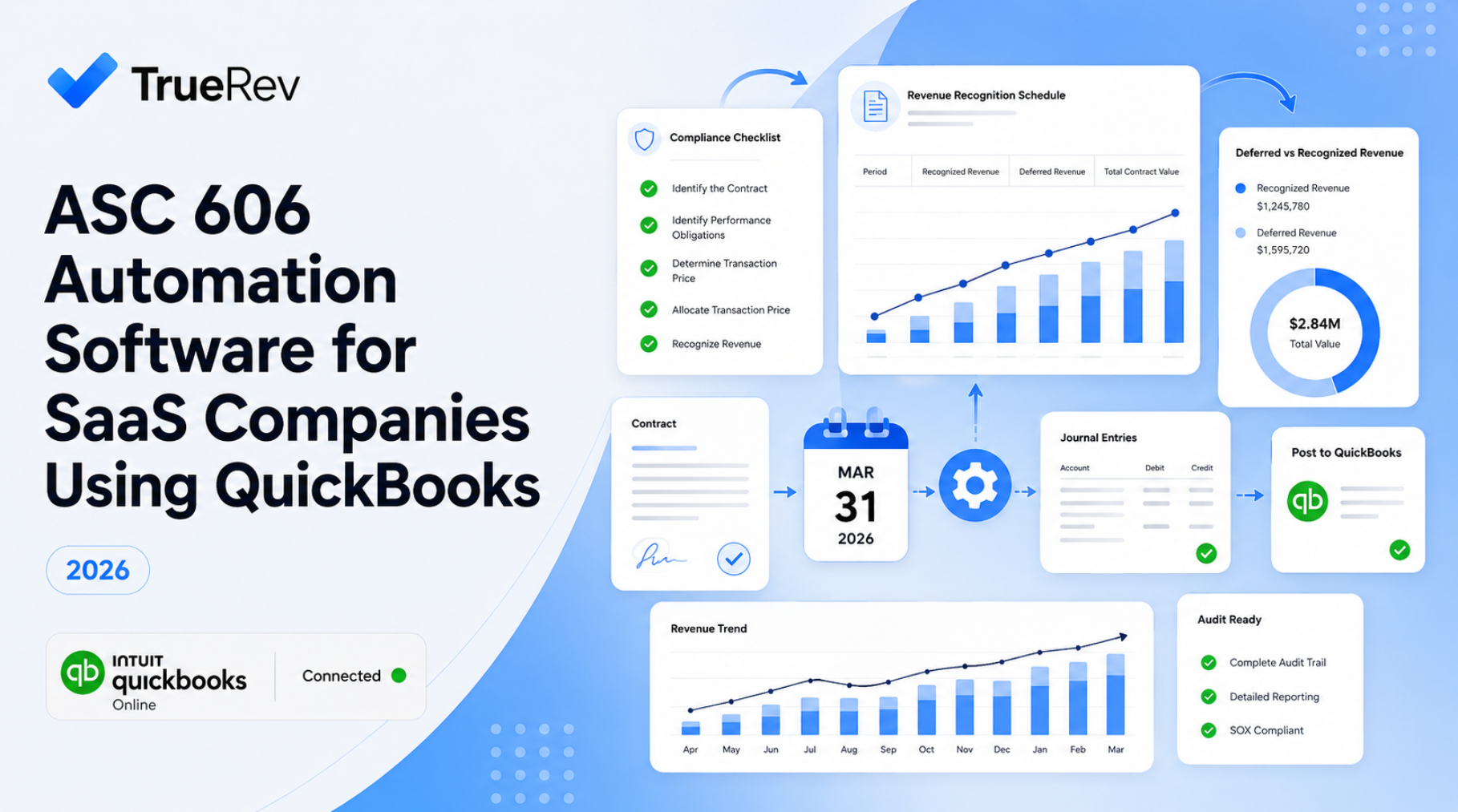
Contract → Revenue rules → Revenue schedule → Contract changes → Journal entries → Reporting
Without automation, those steps often live across several systems.
A finance team may keep:
- Contracts in one system
- Invoices in QuickBooks
- Revenue schedules in Excel
- Renewal dates somewhere else
- ARR and MRR in another spreadsheet
Someone then has to reconcile everything each month.
Revenue recognition software brings more of that work into one controlled process.
How ASC 606 Automation Supports the Five-Step Model
ASC 606 uses a five-step revenue recognition model.
Software can support parts of each step.
Accounting decisions should still remain with the finance team and its advisors.
Teams that need the accounting foundation first can review how revenue recognition works before applying automation to the workflow.
1. Identify the customer contract
Finance first determines whether an agreement qualifies as a customer contract.
Software can then maintain information such as:
- Customer
- Contract dates
- Products and services
- Contract value
- Billing terms
- Renewal terms
- Amendments
The system keeps the operational record.
Finance determines the accounting treatment.
2. Identify performance obligations
A SaaS contract may contain several promised goods or services.
Examples include:
- Software subscriptions
- Implementation
- Training
- Professional services
- Support
Finance determines which items represent separate performance obligations.
Revenue software can then maintain those components and their related schedules.
3. Determine the transaction price
Fixed-price subscriptions may be relatively straightforward.
Other contracts can include:
- Usage charges
- Discounts
- Credits
- Variable fees
- Incentives
- Contract changes
Software can maintain the underlying values once the appropriate accounting treatment is defined.
4. Allocate the transaction price
Multi-element arrangements may require transaction price allocation across separate performance obligations.
Companies needing this functionality should specifically check whether a platform supports:
- Standalone selling prices
- Multiple obligations
- Allocation rules
- Separate revenue schedules
Not every ASC 606 automation platform handles these workflows the same way.
5. Recognize revenue
This is where software can remove a large amount of recurring schedule work.
Depending on the platform, recognition methods may include:
- Straight-line
- Daily
- Monthly
- Point-in-time
- Percentage-based
- Milestone-based
The available methods vary by system.
ASC 606 Automation for Multi-Element SaaS Contracts
Multi-element contracts become harder when different products or services require different revenue treatment.
Consider a contract containing:
- $24,000 annual software subscription
- $5,000 implementation
- $3,000 training package
Billing the customer is only one part of the process.
Finance may also need to determine:
- Which promises are separate obligations
- The standalone selling price of each item
- How the transaction price should be allocated
- When each component should be recognized
- How later contract changes affect those schedules
A spreadsheet can perform these calculations.
The difficulty is maintaining them consistently across a growing customer base.
When evaluating ASC 606 automation software, test real multi-element contracts.
Check support for:
- Multiple products per contract
- Performance obligations
- SSP workflows
- Allocation methods
- Separate recognition schedules
- Change history
- Supporting records
This matters particularly for SaaS companies selling software with implementation or professional services.
Automating Contract Modifications, Upgrades, and Downgrades
Contract changes are one of the main reasons SaaS revenue recognition becomes difficult to maintain manually.
A customer can:
- Add seats
- Remove seats
- Upgrade plans
- Downgrade plans
- Add another product
- Extend a contract
- Cancel early
- Renew under different terms
Those changes can affect much more than billing.
They may also affect:
- Future revenue schedules
- Deferred revenue
- Contract value
- ARR
- MRR
- Expansion
- Contraction
- Churn
Finance still needs to determine the correct accounting treatment.
The software should then reflect that treatment consistently across affected schedules and reports.
When evaluating software, do not only test a clean new contract.
Test what happens after an existing customer changes its agreement.
ASC 606 Automation for Usage-Based and Variable Revenue
Usage-based revenue creates additional complexity because billing and revenue can change with customer consumption.
Common pricing models may depend on:
- Transactions
- API calls
- Storage
- Messages
- Seats
- Processing volume
- Other usage measures
Variable consideration can also affect the transaction price under ASC 606.
Before choosing software, finance teams should ask:
- Where does usage data come from?
- When does the amount become final?
- How are corrections handled?
- Can revenue schedules change with usage?
- What supporting data remains available?
- How does recognized revenue reach the general ledger?
A system that works well for fixed subscriptions may not handle every usage-based model.
That should be tested before purchase.
Can QuickBooks Automate ASC 606 Revenue Recognition?
QuickBooks Online Advanced now includes revenue recognition functionality, so it is no longer accurate to say QuickBooks cannot automate revenue recognition.
QuickBooks Online Advanced can create automatic revenue recognition schedules after the functionality is enabled and templates are assigned to relevant products or services.
Existing schedules can also adjust when certain transaction details change.
That can work well for businesses with straightforward revenue requirements.
But SaaS finance teams should ask a broader question:
Can QuickBooks manage the full revenue workflow our SaaS business needs?
That may include:
- Customer contracts
- Contract changes
- Renewals
- Revenue schedules
- Deferred revenue
- ARR and MRR
- Churn
- Customer-level reporting
If those workflows still require several spreadsheets or disconnected systems, another SaaS finance platform may be useful.
QuickBooks + Spreadsheets vs. ASC 606 Automation Software
Many SaaS companies start with QuickBooks and Excel.
That setup can be inexpensive and flexible.
It may also work well when contract volume is low.
The problem is that every additional variable increases maintenance.
| QuickBooks + spreadsheets | Revenue automation software |
|---|---|
| Flexible | More structured |
| Low starting cost | Additional software cost |
| Manual schedule maintenance | Automated schedule workflows |
| Manual contract updates | Contract-driven workflows may be supported |
| Separate ARR/MRR calculations | SaaS metrics may be included |
| Version-control risk | Centralized records |
| Manual reconciliation | More connected reporting |
| Depends on spreadsheet owners | Less dependence on individual files |
The right time to move away from spreadsheets is not determined by company size alone.
A small SaaS company with complex contracts can reach that point quickly.
A larger company with very simple subscriptions may manage longer.
Finance teams still maintaining schedules manually may eventually need to move beyond Excel for SaaS revenue recognition as contract volume and complexity increase.
Managing Deferred Revenue With ASC 606 Automation
Deferred revenue becomes harder to manage when billing dates and recognition dates do not match.
A customer may pay annually upfront.
Cash is received immediately.
Revenue may need to be recognized over the service period.
Finance therefore needs visibility into:
- Total billed amount
- Revenue already recognized
- Remaining deferred revenue
- Future recognition periods
- Customer-level balances
- Changes caused by contract events
Software can maintain those schedules without rebuilding them manually every month.
A dedicated deferred revenue software workflow can give finance clearer visibility into recognized revenue, remaining balances, and future schedules.
Connecting Revenue Recognition With SaaS Metrics
ASC 606 revenue and SaaS metrics answer different questions.
Revenue recognition helps finance determine when revenue belongs in the financial statements.
ARR and MRR help the company understand recurring commercial performance.
A SaaS finance team may need both views.
For example, one customer change can affect:
Keeping those calculations in separate spreadsheets creates another reconciliation process.
Finance teams can use a SaaS metrics dashboard for QuickBooks to connect ARR, MRR, churn, and customer movements with underlying financial data.
How ASC 606 Automation Helps With Audit Preparation
Revenue automation can make it easier to trace recognized revenue back to the supporting contract, schedule, and changes.
Auditors may need to understand:
- Which contract generated the revenue
- Which recognition method was used
- How the schedule was calculated
- What remained deferred
- Whether the contract changed
- Which accounting entries were created
- What supporting records exist
Spreadsheet-based processes can make this harder when information sits across several files and systems.
Revenue recognition software can keep more supporting information together.
That does not guarantee compliance or an audit result.
Accounting policies, controls, and professional judgment still matter.
Clearer traceability can reduce the work required to explain how revenue moved from the contract to the financial statements.
This becomes particularly useful around:
- First external audits
- Investor due diligence
- Financing rounds
- Acquisition discussions
- More formal finance controls
What Should You Look for in ASC 606 Automation Software?
The best ASC 606 software is the platform that matches your actual contracts, accounting system, and finance workflows.
Do not choose based only on the number of features listed on a website.
Test the workflows that create work for your finance team.
Revenue recognition methods
Confirm which methods are actually supported.
Your business may need:
- Straight-line
- Daily
- Point-in-time
- Percentage-based
- Milestone-based
More methods are not automatically better.
You need the methods your contracts require.
Contract modifications
Test actual customer scenarios.
For example:
- Upgrade
- Downgrade
- Early renewal
- Cancellation
- Term extension
- New product added mid-contract
Then see what happens to the revenue schedule.
Multi-element contracts
If you sell subscriptions with services, check support for:
- Multiple contract components
- Performance obligations
- SSP
- Allocation
- Separate schedules
Deferred revenue
Finance should be able to answer:
- How much has been recognized?
- How much remains deferred?
- When will the balance be recognized?
- Which customer or contract created it?
Journal-entry workflows
Ask exactly how entries reach the general ledger.
For example:
- Are entries prepared automatically?
- Are they posted automatically?
- Does finance review them first?
- What happens when a contract changes?
- Can the entry be traced back to the schedule?
QuickBooks connectivity
Do not stop at the phrase "integrates with QuickBooks."
Ask which records move between systems.
That might include:
- Customers
- Products
- Invoices
- Chart of accounts
- Journal entries
The exact behavior should be confirmed with each vendor.
SaaS metrics
If finance also owns management reporting, check whether the platform supports:
Audit traceability
Finance should be able to answer one simple question:
Why was this amount recognized this month?
The answer should be traceable to the customer, contract, schedule, and relevant changes.
What Is the Best ASC 606 Software for SaaS Companies?
There is no single best ASC 606 platform for every SaaS company.
The right option depends on:
- Accounting system
- Contract complexity
- Contract volume
- Revenue model
- Reporting requirements
- Team size
- Integrations
- Budget
- Audit needs
For SaaS companies using QuickBooks, start with two questions.
Can QuickBooks handle our revenue recognition requirements?
If yes, adding another platform may not be necessary.
What important SaaS finance workflows still sit outside QuickBooks?
If contracts, renewals, SaaS metrics, deferred revenue, and revenue schedules still depend on several spreadsheets, a SaaS-specific platform may be worth evaluating.
Teams comparing vendors can use our revenue recognition software for QuickBooks comparison to evaluate different approaches before selecting a platform.
How TrueRev Fits Into a QuickBooks-Based SaaS Finance Stack
TrueRev is built for B2B SaaS finance teams that want to keep QuickBooks while managing more SaaS-specific finance workflows around it.
The goal is not to replace the general ledger.
QuickBooks can continue handling core accounting.
TrueRev adds a SaaS-focused layer around workflows such as:
- Customer contracts
- Revenue schedules
- Deferred revenue
- Contract events
- Renewals
- Scheduled invoicing
- ARR and MRR
- Churn and retention reporting
- Journal-entry workflows
- SaaS revenue reporting
This can be useful when a finance team has outgrown spreadsheet-based revenue management but does not want to move its entire accounting stack.
For companies keeping QuickBooks as their accounting system, the TrueRev QuickBooks integration connects that accounting foundation with SaaS-specific revenue and contract workflows.
Frequently Asked Questions
What is ASC 606 automation software?
ASC 606 automation software helps finance teams manage revenue schedules, deferred revenue, contract changes, and related accounting records. Finance still defines the accounting policies and treatment.
How do you automate ASC 606 compliance?
Start with approved revenue policies and contract treatment. Software can then automate repeatable work such as schedules, deferred revenue calculations, change tracking, and accounting workflows.
Can QuickBooks automate revenue recognition?
Yes. QuickBooks Online Advanced includes revenue recognition functionality that can create automatic revenue schedules for eligible products and services.
What accounting software automates ASC 606 revenue recognition?
Several accounting and revenue platforms support revenue recognition automation. QuickBooks Online Advanced includes native functionality, while dedicated SaaS platforms can support additional contract and reporting workflows.
What is the best ASC 606 software for SaaS companies?
The best option depends on contract complexity, recognition methods, accounting software, reporting requirements, and team size. Start by identifying which workflows your current accounting system does not cover.
Can software track performance obligations automatically?
Some revenue platforms can record and manage performance obligations. Finance still needs to determine the appropriate accounting treatment and confirm how each platform handles complex arrangements.
Can ASC 606 software handle contract modifications?
Revenue software can help update affected schedules after contract changes. The exact automation varies by platform, and finance may still need to determine the accounting treatment.
Can ASC 606 software handle multi-element contracts?
Some platforms support multiple contract components, separate schedules, SSP calculations, and allocation workflows. These capabilities should be tested against actual customer contracts before purchase.
How do SaaS companies automate ASC 606?
SaaS companies typically connect contract data, revenue rules, schedules, accounting entries, and reporting. They may use their accounting system, dedicated revenue software, or both.
Does ASC 606 automation help during an audit?
It can make revenue schedules, contract records, calculations, and changes easier to trace. Automation does not replace accounting judgment or guarantee ASC 606 compliance.
Can ASC 606 software work with QuickBooks?
Yes. Companies can use QuickBooks' native revenue recognition functionality or connect QuickBooks with another revenue platform when more contract, reporting, or SaaS-specific workflows are required.
Move SaaS Revenue Recognition Beyond Spreadsheets
QuickBooks Online Advanced can now automate certain revenue recognition schedules.
For some businesses, that may be enough.
The problem changes when SaaS finance teams also need to manage contract changes, renewals, deferred revenue, SaaS metrics, and customer-level revenue reporting across a growing contract base.
That is where dedicated SaaS revenue software becomes relevant.
TrueRev works alongside QuickBooks to help B2B SaaS finance teams manage contracts, revenue schedules, deferred revenue, and recurring-revenue reporting in one connected workflow.
Companies already using QuickBooks can see how the TrueRev QuickBooks integration fits into that setup.
Want to see a demo?
we offer a 14-day free trial.