

On this page
Excel can work well for revenue recognition when contracts are simple, customer volume is manageable, and revenue schedules require few changes.
The problem begins when the spreadsheet becomes the system finance depends on to maintain revenue schedules, deferred revenue, contract amendments, journal-entry support, and month-end reconciliation.
At that point, automated revenue recognition software may reduce repeated manual work and make the process easier to maintain.
But automation is not automatically better for every SaaS company.
The more useful questions are:
- When is Excel still enough?
- What risks increase as spreadsheet-based revenue recognition becomes more complex?
- What does automated revenue recognition actually change?
- How do you move from Excel without disrupting the accounting process?
This guide answers those questions for B2B SaaS finance teams.
Can SaaS companies still use Excel for revenue recognition?
Yes.
A SaaS company does not need dedicated revenue recognition software simply because it uses spreadsheets.
Excel may still be enough when:
- Customer and contract volume is manageable
- Most contracts follow similar terms
- Revenue recognition policies are straightforward
- Contract amendments are uncommon
- Revenue schedules require limited manual adjustment
- Deferred revenue is easy to reconcile
- One person clearly owns the process
- Month-end does not require significant spreadsheet reconciliation
- Finance can trace every reported amount back to the supporting contract and schedule
In that environment, Excel can remain a practical option.
The trigger for automation is usually not company size or ARR.
It is the amount of repeatable manual work and contract complexity the finance team has to manage.
What are the risks of spreadsheet-based revenue recognition?
Spreadsheets are flexible, but that flexibility also means finance teams have to maintain many of the controls themselves.
As the process grows, several areas can become harder to manage.
1. Revenue schedules require repeated manual updates
A basic annual contract may be easy to model.
The process becomes more involved when contracts include:
- Upgrades
- Downgrades
- Renewals
- Cancellations
- Mid-term amendments
- One-time fees
- Professional services
- Multiple products or services
- Changes to the service period
A single contract change may require finance to update the contract record, revenue schedule, deferred balance, journal-entry support, and related reporting.
The more often this happens, the more spreadsheet maintenance becomes part of the monthly close.
2. Contract changes can be difficult to trace
Suppose a customer signs a 12-month subscription and upgrades six months later.
Finance may need to determine:
- What changed in the contract?
- When should the change affect revenue?
- Does the existing schedule need to be revised?
- What happens to deferred revenue?
- Which periods are affected?
- What supporting documentation explains the change?
In a spreadsheet-based process, the answer may depend on manually updating several cells, schedules, or files.
The accounting decision still belongs to the finance team. The operational question is how consistently the resulting schedule can be maintained.
3. Version control becomes harder
Revenue recognition spreadsheets often evolve over time.
Different team members may:
- Save separate versions
- Add or modify formulas
- Change assumptions
- Insert manual adjustments
- Copy information between workbooks
- Maintain different supporting schedules
None of these actions necessarily creates an error.
The risk increases when finance can no longer easily determine which version is current or why a calculation changed.
4. Month-end reconciliation grows
Spreadsheet-based revenue recognition may require finance to reconcile:
- Contract records
- Invoices
- Revenue schedules
- Deferred revenue
- General ledger balances
- Journal entries
- Contract amendments
The workload can remain manageable for a smaller customer base.
As contract activity increases, however, reconciliation can start consuming more of the close process.
5. Supporting an audit or review requires more manual work
Finance teams may need to explain:
- The underlying contract
- The recognition policy
- The schedule calculation
- Changes to that schedule
- Deferred balances
- Journal-entry support
If this information sits across several spreadsheets and documents, assembling the supporting history can take additional work.
Dedicated revenue recognition software can help centralize more of that process, but the accounting policies and judgments behind revenue recognition still remain the responsibility of the finance team.
Excel vs automated revenue recognition software
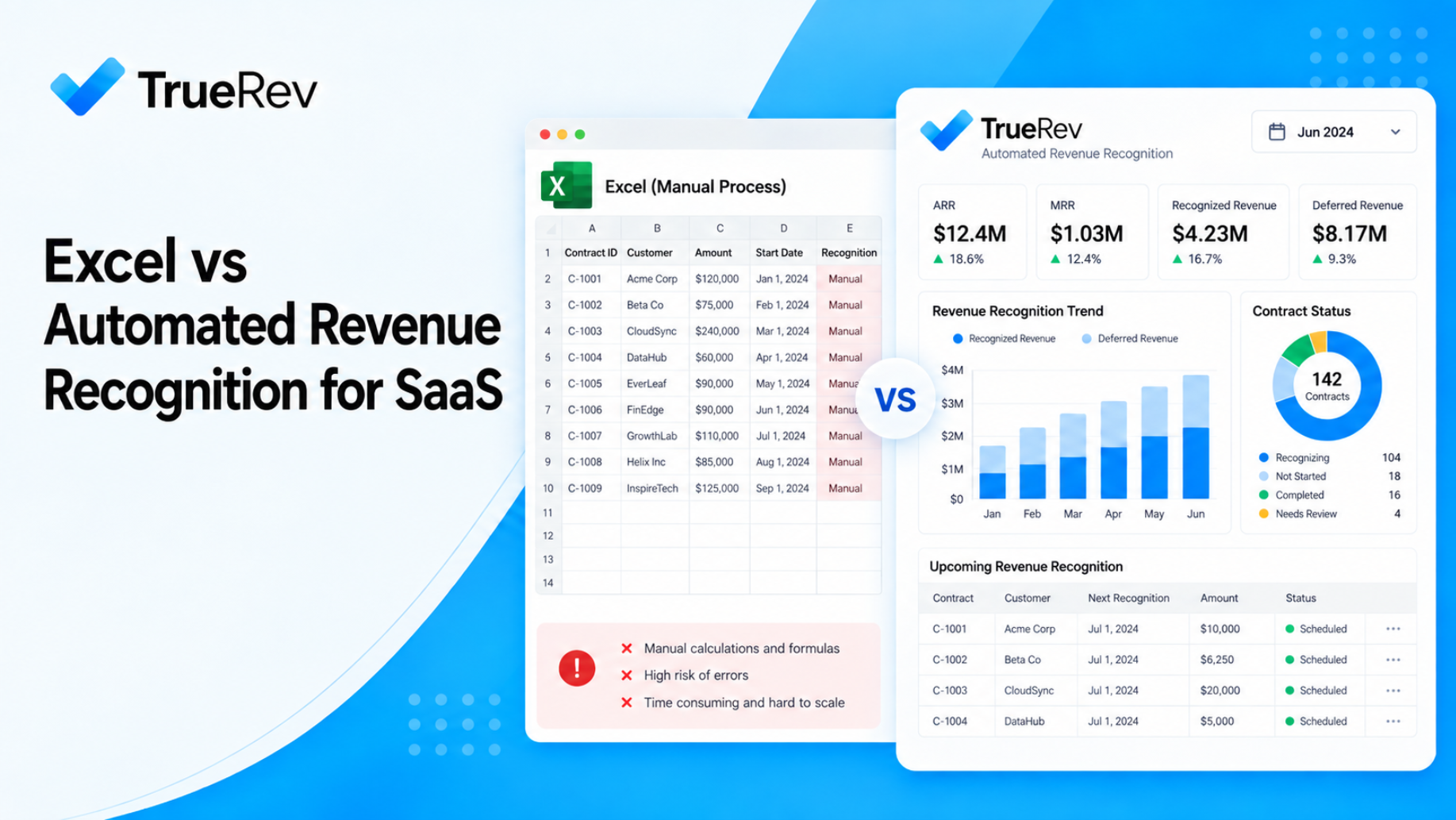
Automated revenue recognition is not simply Excel with more features.
The main difference is how repeatable rules, schedules, contract changes, and supporting records are maintained.
| Spreadsheet-based revenue recognition | Automated revenue recognition |
|---|---|
| Flexible and familiar | More structured process |
| Low initial software cost | Additional software cost |
| Schedules may require manual updates | Rules can be applied consistently across schedules |
| Contract changes may require manual rework | Contract changes can feed related revenue workflows |
| Formulas and logic live in workbooks | Logic is maintained in the system |
| Version control depends on team processes | Centralized records can reduce version confusion |
| Reconciliation may happen across multiple files | More information can remain connected |
| Works well for simple processes | Becomes more useful as complexity increases |
Automation does not eliminate accounting judgment.
Finance still needs to determine policies, review contract terms, handle exceptions, and validate the resulting accounting treatment.
The benefit is that repeatable parts of the process do not have to be rebuilt manually for every contract or reporting period.
Why is automated revenue recognition better than Excel for some SaaS companies?
Automated revenue recognition becomes more useful when finance is spending increasing amounts of time maintaining the process rather than reviewing it.
The main advantages can include:
More consistent revenue schedules
Once recognition rules are configured, the system can apply them across relevant contracts rather than relying on finance to recreate the same schedule logic repeatedly.
Easier contract-change management
Upgrades, downgrades, renewals, and amendments are common in SaaS.
Software can make it easier to keep contract changes connected with the associated revenue schedules and supporting records.
Less spreadsheet reconciliation
When contract data, schedules, deferred revenue, and reporting are more closely connected, finance may need fewer separate files to maintain the process.
Better traceability
A structured system can make it easier to see which contract, rule, or change supports a revenue schedule.
More repeatable month-end processes
The goal is not to remove finance review.
It is to reduce the number of manual steps finance has to repeat before that review can happen.
When should you move beyond Excel for revenue recognition?
There is no universal threshold.
Instead, look for signs that maintaining the process is becoming harder.
Consider automation when several of the following are true:
- Contract volume is growing
- Amendments are becoming more frequent
- Revenue schedules require repeated manual adjustments
- Deferred revenue requires significant reconciliation
- Multiple team members maintain the process
- Finance maintains several supporting workbooks
- Month-end depends on repeated manual updates
- Contract changes are difficult to trace
- The team is spending more time maintaining schedules than reviewing them
- Supporting documentation is scattered across systems or files
One or two of these issues may not justify another system.
When several happen together, it may be time to evaluate revenue recognition software.
For teams facing a wider spreadsheet problem beyond revenue recognition, our guide to Excel alternatives for SaaS revenue management covers the broader finance-system decision.
How do you move from Excel to automated revenue recognition?
Replacing an existing spreadsheet process should not begin with software configuration.
Start by understanding the process the spreadsheet currently represents.
1. Map the existing revenue recognition process
Document how finance currently handles:
- New contracts
- Revenue schedules
- Deferred revenue
- Amendments
- Renewals
- Cancellations
- Journal entries
- Month-end reconciliation
- Supporting documentation
Identify which steps are manual and which depend on spreadsheet formulas.
2. Document your recognition policies
Software should reflect your accounting policies, not define them for you.
Before configuring a system, clarify:
- Recognition methods
- Service periods
- Treatment of one-time items
- Contract modifications
- Relevant exceptions
- Required review and approval steps
If your team needs deeper guidance on SaaS revenue recognition and ASC 606 workflows, see our guide to ASC 606 automation for QuickBooks.
3. Review and clean contract data
Automation depends on the quality of the underlying information.
Review:
- Customer records
- Contract dates
- Products and services
- Pricing
- Billing terms
- Revenue treatment
- Renewal dates
- Amendments
This is also a good time to identify historical inconsistencies before moving them into a new system.
4. Decide which system owns each type of information
Define where data should live.
For example:
- Where is the accounting source of record?
- Where are contracts maintained?
- Where are invoices created?
- Where are recognition schedules maintained?
- Where are journal entries reviewed?
- Where is management reporting produced?
This is more useful than simply asking whether two products integrate.
5. Configure and test the revenue recognition system
Do not begin with every historical contract.
Start with representative examples, such as:
- A simple annual subscription
- An upfront payment
- A mid-term upgrade
- A renewal
- A contract with a one-time service
- A cancellation or amendment
Check whether the resulting schedules match the accounting treatment you expect.
6. Test contract changes, not only new contracts
A system may handle a simple new contract well but behave differently when the agreement changes.
Test the scenarios your finance team actually encounters.
7. Reconcile software output against the existing process
Before relying on the new system, compare results with your current schedules.
Review:
- Recognized revenue
- Deferred revenue
- Schedule timing
- Contract amendments
- Journal-entry support
Investigate differences rather than assuming either process is automatically correct.
8. Establish ownership and controls
Determine:
- Who enters or reviews contract information?
- Who approves exceptions?
- Who reviews revenue schedules?
- How are changes documented?
- What gets reviewed at month-end?
Automation works best when ownership remains clear.
Can QuickBooks Online Advanced handle revenue recognition?
Yes.
QuickBooks Online Advanced supports revenue recognition and can create revenue recognition schedules for eligible transactions.
For some SaaS companies, that may be enough.
QuickBooks Online Advanced may be worth considering on its own when:
- Revenue recognition needs are relatively straightforward
- Contracts follow consistent patterns
- Contract changes are manageable
- The accounting team wants to keep the process inside QuickBooks
- Broader SaaS contract and recurring revenue workflows are limited
The question is therefore not:
Can QuickBooks do revenue recognition?
It can.
The more useful question is:
Does the finance team need additional workflows around contracts, changes, deferred revenue, recurring metrics, reporting, or related SaaS finance processes?
Teams evaluating that broader setup can also review how TrueRev works with QuickBooks Online.
What should you look for in revenue recognition software?
Once you decide that spreadsheets are becoming difficult to maintain, evaluate software based on the actual finance process.
Contract handling
Can the system work with:
- New contracts
- Renewals
- Amendments
- Upgrades
- Downgrades
- Cancellations
- One-time services
Revenue schedules
Understand how schedules are created and updated.
Look at how the system handles exceptions rather than only standard contracts.
Deferred revenue
If deferred revenue is part of the process, review how balances and schedule changes are maintained.
TrueRev also supports deferred revenue workflows for SaaS finance teams.
Accounting-system fit
Determine how the revenue recognition process works with your accounting system.
Understand:
- Which data is imported
- Which system owns the accounting records
- How journal entries are handled
- How reconciliations work
Supporting records
Finance should be able to understand how a reported number relates to:
- Customer
- Contract
- Schedule
- Amendment
- Accounting treatment
Reporting
Decide what the team actually needs.
Revenue recognition reporting may need to support:
- Recognized revenue
- Deferred revenue
- Future schedules
- Contract-level details
- Period-level reporting
If broader ARR and MRR reporting is also part of the requirement, our guide to SaaS metrics dashboards for QuickBooks covers that separately.
Implementation and support
Ask what is required to move from your existing spreadsheet process.
That can include:
- Contract import
- Historical schedules
- Data cleanup
- Configuration
- Testing
- Training
- Ongoing review
Implementation requirements will differ based on the contracts and data involved.
Where TrueRev fits
TrueRev is a financial operations platform for B2B SaaS teams with a strong QuickBooks Online orientation.
For revenue recognition, TrueRev can help finance teams manage workflows around:
- Revenue schedules
- Deferred revenue
- Contract activity
- Journal-entry support
- Related SaaS finance reporting
TrueRev can be relevant when a finance team wants to keep QuickBooks as part of its accounting process but reduce its dependence on manually maintained spreadsheets for SaaS-specific finance workflows.
G. Preville, CFO at Laurentian CFO Services, describes TrueRev as "a sensible step in moving beyond spreadsheets."
The goal is not to eliminate Excel completely.
Excel can remain useful for analysis, modeling, and one-off work while repeatable accounting processes move into systems designed to maintain them consistently.
Frequently asked questions
Why is automated revenue recognition better than Excel?
It is not always better.
Excel may work well for simple revenue recognition processes. Automation becomes more useful as contract volume, amendments, deferred revenue, reconciliation, and schedule maintenance increase.
The main advantage is reducing repeated manual maintenance while keeping revenue schedules and supporting information more structured.
How do you replace Excel for revenue recognition?
Start by mapping your current process, documenting recognition policies, reviewing contract data, deciding which systems own each record, configuring the new software, testing representative contracts and amendments, reconciling the results, and assigning ongoing ownership.
Do not migrate the process without first understanding what the existing spreadsheet is doing.
What are the risks of spreadsheet-based revenue recognition?
Potential risks include manual schedule maintenance, version-control problems, repeated reconciliation, difficulty tracking contract changes, and additional work when supporting revenue schedules during reviews or audits.
The level of risk depends on the complexity and controls around the spreadsheet process.
When is Excel still enough for SaaS revenue recognition?
Excel may still be enough when contract volume is manageable, recognition policies are straightforward, amendments are infrequent, schedules are easy to maintain, and month-end reconciliation remains controlled.
Does automated revenue recognition eliminate accounting judgment?
No.
Finance teams still need to determine accounting policies, review contract terms, address exceptions, and validate the resulting accounting treatment.
Automation primarily helps with the repeatable operational work around those decisions.
Can QuickBooks Online Advanced automate revenue recognition?
Yes.
QuickBooks Online Advanced includes native revenue recognition functionality and supports revenue recognition schedules.
Some SaaS companies may need nothing beyond that. Others may require additional contract, deferred revenue, reporting, or recurring revenue workflows.
What should a SaaS company test before switching from Excel?
Test the situations that create the most complexity in your current process, including:
- Standard contracts
- Upgrades
- Downgrades
- Renewals
- Amendments
- One-time services
- Deferred revenue
- Journal-entry support
Then reconcile the results with your existing process before relying on the new system.
Moving beyond Excel is a process decision
The decision is not:
Excel is bad and automation is good.
The better question is:
Has revenue recognition become too difficult to maintain reliably through manually managed spreadsheets?
For a SaaS company with simple contracts, the answer may still be no.
As contract volume, amendments, deferred revenue, and reconciliation work increase, dedicated software can become more useful.
The goal is not to remove finance from the process.
It is to give finance a more structured way to maintain repeatable revenue recognition workflows while preserving the accounting judgment and review that still matter.
If your team uses QuickBooks Online and is evaluating whether its revenue recognition process has outgrown spreadsheets, you can schedule a demo to see how TrueRev fits your current workflow.
Want to see a demo?
we offer a 14-day free trial.