
HubSpot integration for QuickBooks SaaS finance
Stop retyping
closed-won HubSpot deals
into QuickBooks.
Sales closes it in HubSpot. TrueRev imports the deal, AI matches the QuickBooks customer and products, and finance confirms. The contract is booked — no second data entry, no hunting for records.
No double entry
Customer, products and amounts come across from the deal sales already closed.
No record hunting
AI proposes the QuickBooks Online customer and products instead of making you search.
No surprise contracts
Finance reviews and confirms before a TrueRev contract exists.
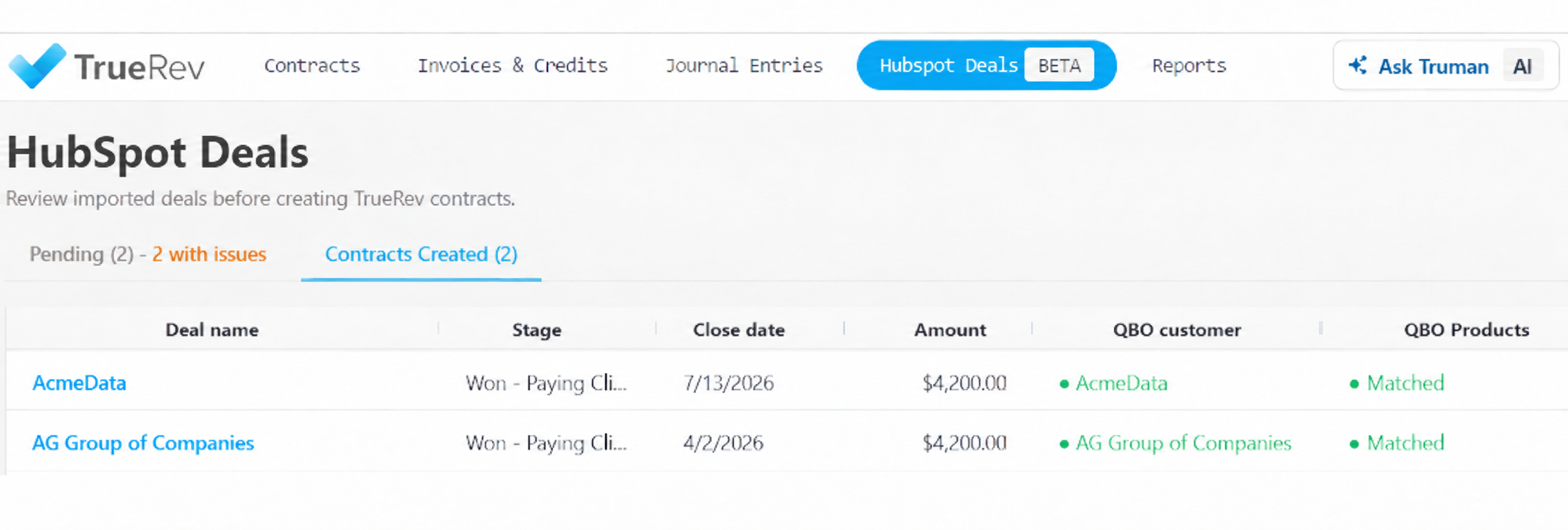
Four steps, one review
AI recommends. Finance decides.
Step 01
Import
Pick the HubSpot pipeline and the start date. New deals keep flowing in after setup.
Step 02
AI match
TrueRev recommends the QuickBooks customer and products behind the deal.
Step 03
Review
Confirm or change each match. Create a missing QuickBooks record on the spot.
Step 04
Create
The contract is booked from the HubSpot data — and stays filterable as HubSpot-sourced.
Not a black box
Nothing books itself
Every suggested QuickBooks customer and product is shown next to the HubSpot data it came from. Finance confirms, edits, or creates the missing record — then the contract is created.
Schedule a Demo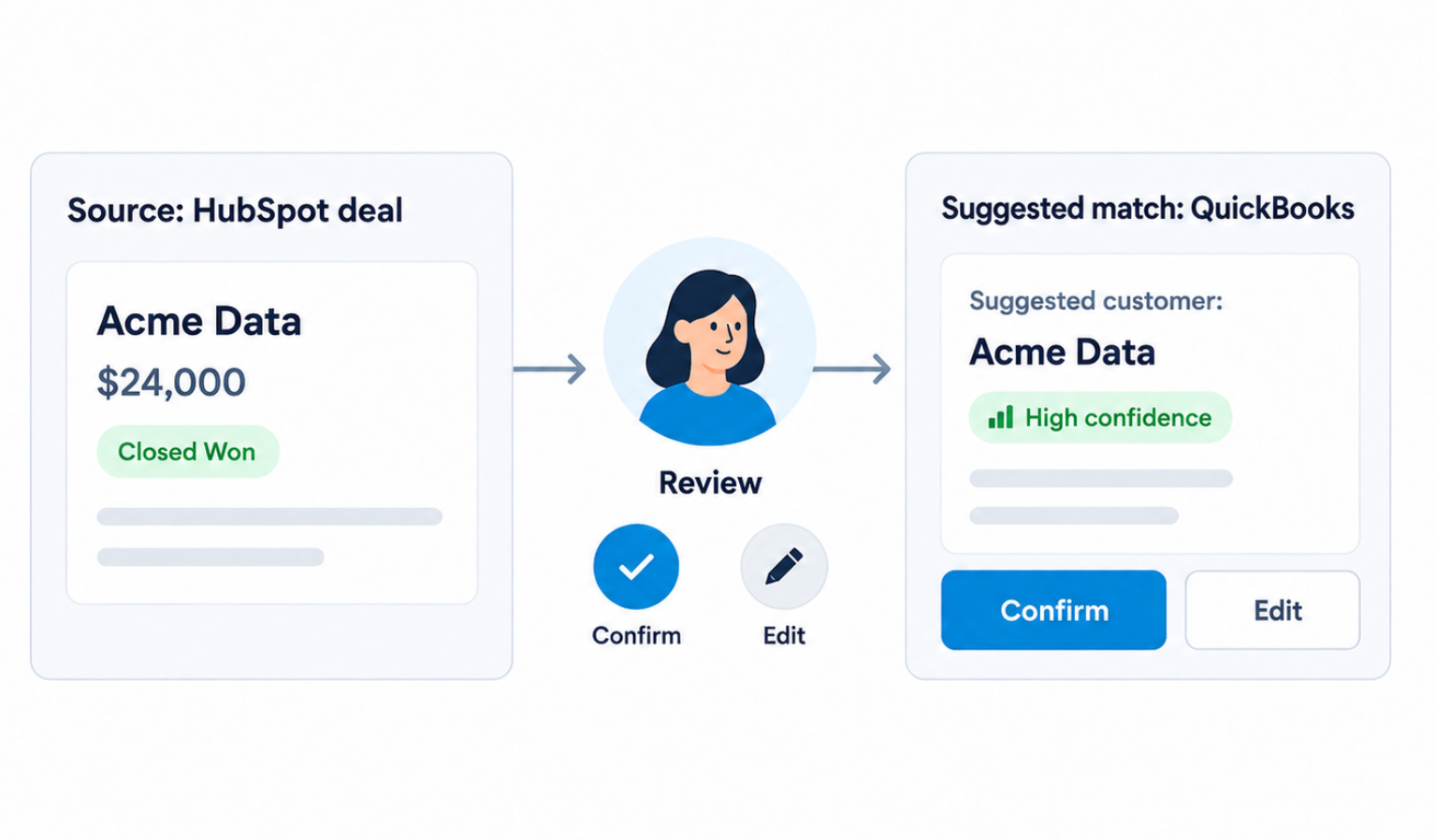
See the source data
Imported HubSpot fields sit beside the match they produced.
Confirm every match
Suggested customer and product records need your yes.
Fill the gaps
Create the QuickBooks customer or product when none exists.
Book when ready
No review, no contract. The step can't be skipped.
The questions finance asks
Which deals get imported?
Whichever HubSpot pipelines you choose — most teams point it at Closed Won — and you set the start date for the first import, so you bring in the history you want and nothing else.
Does the AI create contracts on its own?
No. AI only produces the initial customer and product matching recommendations. Finance reviews the imported deal and confirms the QuickBooks records before any TrueRev contract is created.
How does the matching actually work?
TrueRev reads the customer and products on the HubSpot deal and recommends the closest existing QuickBooks Online records. You see the recommendation next to the deal data it came from, and you confirm or change it.
What if the customer or product isn't in QuickBooks yet?
Create it from the HubSpot information during review, then continue to contract creation.
Do new deals keep importing after setup?
Yes — ongoing automated imports from the selected pipeline.
Can I tell which contracts came from HubSpot?
Yes. Contracts created from HubSpot deals can be filtered as such in TrueRev.
See it work on your own deals.
Bring a closed-won HubSpot deal to the demo and watch it become a QuickBooks contract.