A SaaS Revenue Subledger for NetSuite
TrueRev manages your SaaS contracts, revenue schedules, deferred revenue and ARR/MRR, then posts reviewed journal entries to NetSuite with the right subsidiary, department, class and location. NetSuite stays your general ledger. Built for SaaS finance teams that run NetSuite without SuiteBilling and Advanced Revenue Management, and still manage revenue in spreadsheets.
Early access is free, with no commitment. Book a demo to see the TrueRev platform finance teams use today.

The TrueRev platform today
$1.95B
billings generated
$775.5M
ARR managed
$1.23B
revenue processed
TrueRev platform totals across all customers.
Do you need TrueRev if you already run NetSuite?
NetSuite can run SaaS revenue end to end with SuiteBilling, Advanced Revenue Management (ARM) and SaaS Metrics. If those modules already run your revenue well, keep them. TrueRev is for NetSuite teams in a different spot.
| Your NetSuite setup | Our recommendation |
|---|---|
| Core NetSuite, revenue schedules and ARR/MRR in spreadsheets | TrueRev for NetSuite. TrueRev owns SaaS revenue; NetSuite stays the GL. |
| Moved from QuickBooks Online to NetSuite | TrueRev for NetSuite. Keep one contract-to-revenue workflow when the ledger changes. |
| ARM live for some products or subsidiaries only | Let's talk. Each contract can have only one revenue owner. |
| SuiteBilling and ARM running your SaaS revenue well | Stay with NetSuite. Two revenue engines on the same contracts create reconciliation work. |
The SaaS revenue work that happens outside NetSuite
NetSuite is a strong ledger. Without its revenue modules, the SaaS work around it usually lives in spreadsheets:
- Contract terms sit in the CRM and PDFs, not next to the ledger.
- Deferred revenue waterfalls are rebuilt in Excel every month.
- Revenue entries go in by CSV import, with subsidiary, department and class keyed by hand.
- Upgrades, renewals and cancellations mean editing schedules line by line.
- ARR and MRR come from a separate model that doesn't tie to the GL.
What syncs between TrueRev and NetSuite
TrueRev reads the reference data it needs from NetSuite and writes back only what you approve. AR, payments and your close stay in NetSuite.
| NetSuite record | Direction | How TrueRev uses it |
|---|---|---|
| Customers | NetSuite to TrueRev | Matched to contracts and revenue schedules |
| Items | NetSuite to TrueRev | Maps contract lines to your NetSuite items |
| Chart of accounts | NetSuite to TrueRev | Maps revenue, deferred revenue and AR accounts |
| Subsidiaries, departments, classes, locations | NetSuite to TrueRev | Tagged on every journal line |
| Accounting periods | NetSuite to TrueRev | Entries post only to open periods |
| Invoices | Both directions | Invoices you raise in NetSuite come into TrueRev, or TrueRev creates scheduled invoices in NetSuite. You choose. |
| Journal entries | TrueRev to NetSuite | Reviewed revenue recognition entries, posted with your approval settings |
TrueRev does not create or change ARM revenue arrangements or recognition plans.
From NetSuite to revenue schedules in six steps
Create the connection. Your NetSuite admin enables REST Web Services, creates an integration record for TrueRev and assigns it a dedicated role.
Import reference data. TrueRev reads customers, items, accounts, subsidiaries and segments.
Map accounts and segments. Choose revenue, deferred revenue and AR accounts, and the subsidiary, department, class and location rules for journal lines.
Bring in contracts. Add contract terms or import closed-won deals from HubSpot. TrueRev builds each revenue schedule.
Review and post. Check entries by contract, then post them to NetSuite. If your account requires journal approval, entries follow that workflow.
Tie out. The deferred revenue balance in NetSuite matches TrueRev's schedule report each month.
Running SaaS revenue next to NetSuite?
Request NetSuite Early AccessBuilt to respect your NetSuite controls
One revenue owner per contract
TrueRev or ARM recognizes revenue for a contract, never both. TrueRev contracts use their own deferred revenue account, so balances don't mix.
No duplicate postings
Every entry carries a TrueRev external ID, so the same entry can't post twice.
Closed periods stay closed
NetSuite does not accept entries into closed or locked periods. TrueRev posts to open periods, and contract changes after close flow into the next open period.
Your approval workflow
If your account requires journal approval, TrueRev entries wait for it like any other journal.
Subsidiaries and segments on every line
Journal lines carry subsidiary, department, class and location, so NetSuite reports cut the way you set them up.
Least-privilege access
TrueRev connects with OAuth 2.0 through a dedicated integration role, not an administrator login.
SaaS revenue management on top of NetSuite
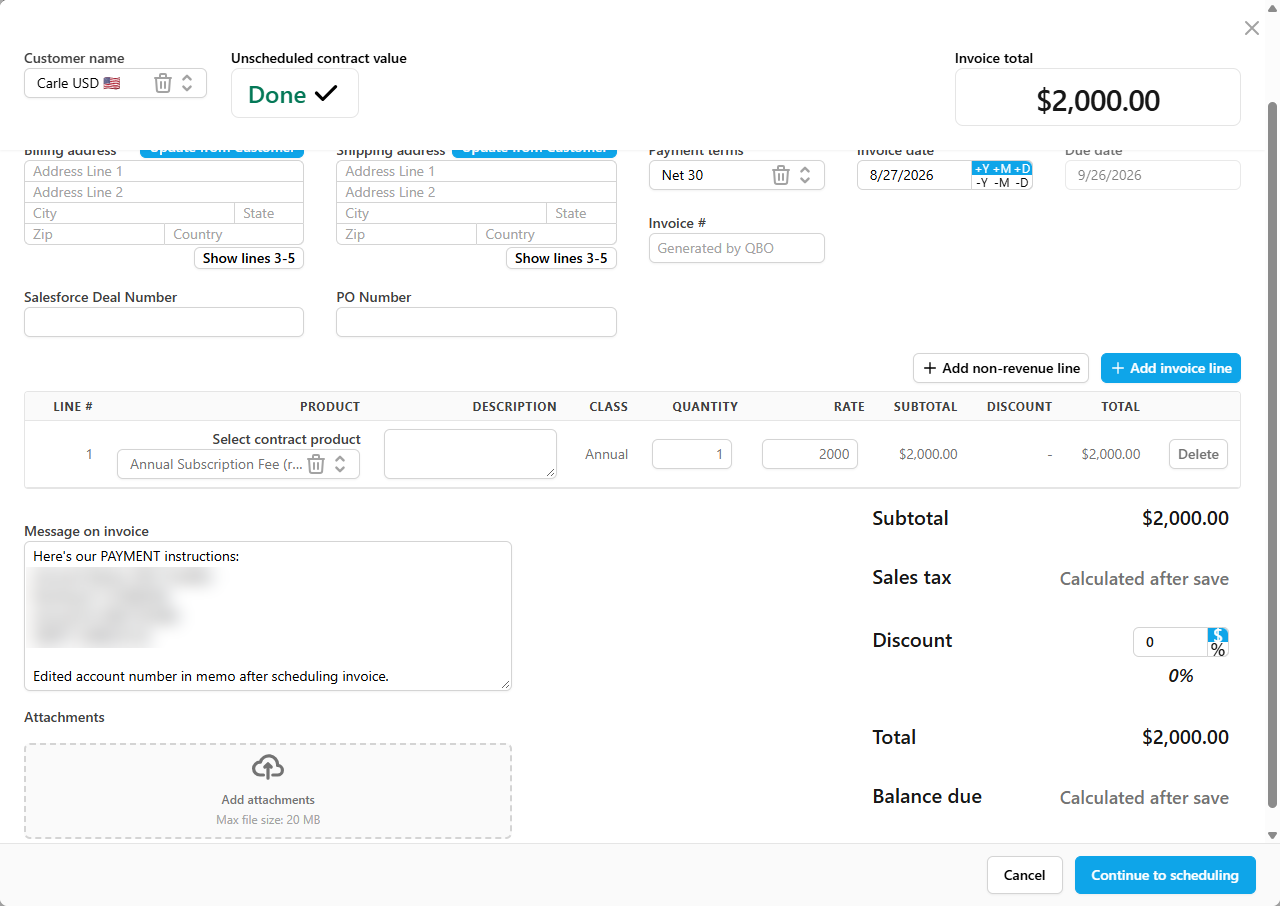
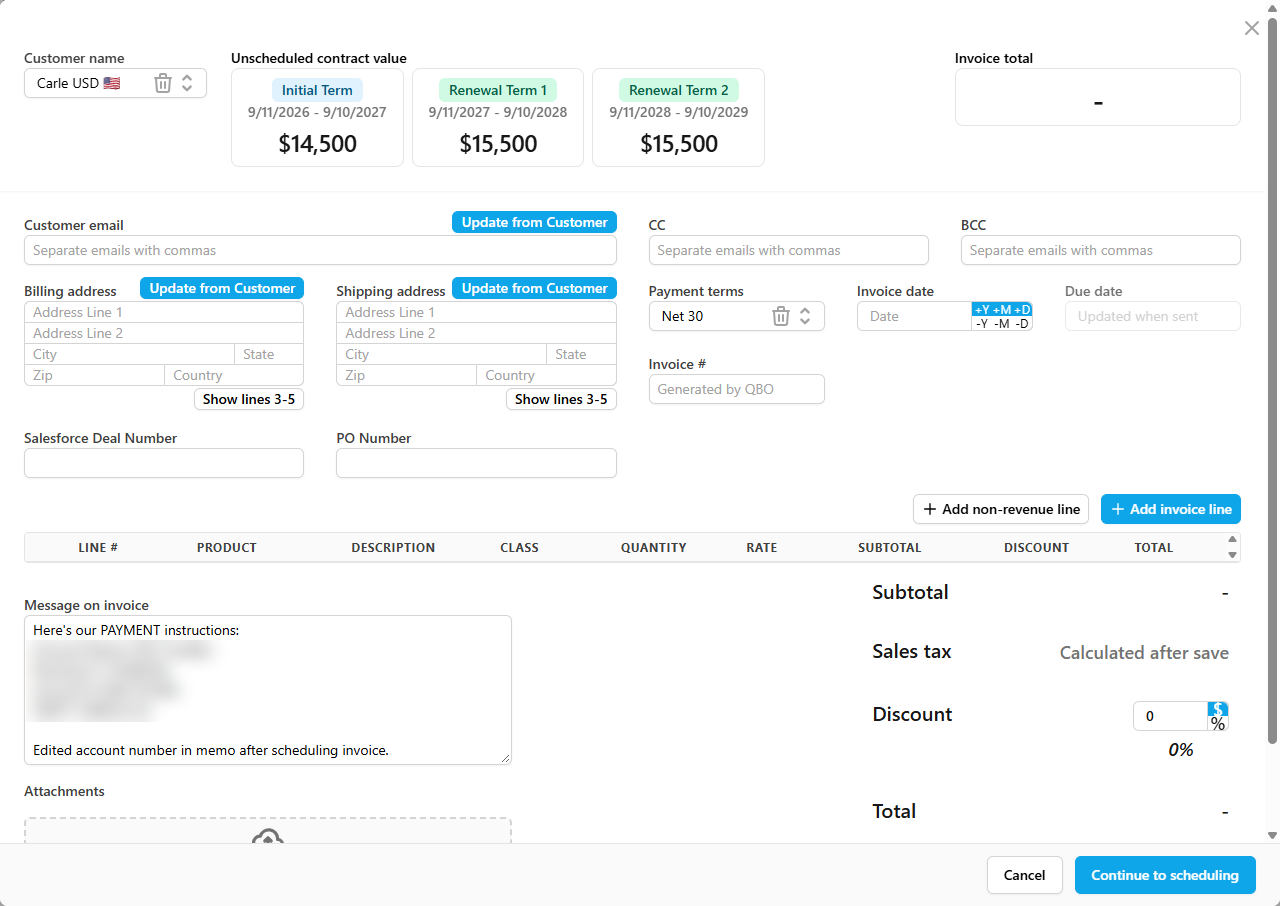
Contract-based revenue schedules
Ratable, all-at-once or percentage-of-completion recognition per contract, designed to support ASC 606. See revenue recognition.
Contract changes without rebuilds
Upgrades, renewals, cancellations and expansions are contract events; schedules update when the contract changes.
ARR, MRR and retention from the same data
Report ARR, MRR, churn and net and gross retention from the contracts behind your journals. Open the SaaS metrics dashboard.
HubSpot deals, reviewed by finance
Closed-won deals import from HubSpot, AI suggests the matching NetSuite customer and item, and finance confirms before a contract is created. See the HubSpot integration.
Ask TruMan AI about your revenue
Ask questions about ARR, MRR, schedules and renewals in plain English. Meet TruMan AI.
Why request NetSuite early access
Be first to connect
Early-access teams are first in line when the NetSuite integration opens.
Shape the rollout
Tell us your edition, subsidiaries and modules. Your setup helps decide what we test first.
See TrueRev today
Book a demo of revenue schedules, deferred revenue and ARR/MRR in the live platform.
Introductory pricing
Ask about pricing for early customers.
No payment details. No commitment.
TrueRev and NetSuite: common questions
Does TrueRev integrate with NetSuite?
TrueRev's NetSuite integration is coming soon. It reads customers, items, accounts and segments from NetSuite and posts reviewed revenue journal entries back. Request early access to be among the first teams to connect.
Why use TrueRev if NetSuite has Advanced Revenue Management?
If ARM and SuiteBilling already run your SaaS revenue well, you probably don't need TrueRev. ARM is a licensed NetSuite feature that is not on by default. TrueRev is for NetSuite teams that haven't licensed or set up those modules and manage revenue in spreadsheets today.
Can TrueRev work alongside ARM?
Yes, on separate contracts. If ARM runs some products or subsidiaries, TrueRev can own a different set, as long as each contract has one revenue owner and TrueRev uses its own deferred revenue account.
Does it support OneWorld subsidiaries and multiple currencies?
Journal lines carry subsidiary, department, class and location. If you run several subsidiaries or currencies, tell us your structure when you request early access, and we'll confirm how it maps before you connect.
Do we need SuiteBilling or ARM to use TrueRev?
No. TrueRev manages contracts and revenue schedules itself. It works with core NetSuite: general ledger, accounts receivable, customers and items.
Can HubSpot deals flow into TrueRev when NetSuite is my ledger?
Yes. Closed-won deals import from HubSpot, TrueRev suggests the matching NetSuite customer and item, and finance confirms before a contract is created.
How is TrueRev priced alongside NetSuite?
TrueRev is a separate subscription. Current plans are on the pricing page, and early-access teams can ask about introductory pricing. If you would license ARM and SuiteBilling anyway, compare both options before you decide.
When will the NetSuite integration be available?
It is coming soon. Early-access teams are invited first. There is no public launch date yet.
Run SaaS revenue next to NetSuite, without the spreadsheets
Tell us your edition, modules and subsidiaries. We'll contact you before the integration opens.